
Indoor wayfinding technology helps people find their way inside a building: the right lecture hall, the permit office on the third floor, the exhibit a family came to see. It replaces the "excuse me, where is...?" question with a map, a route and, more and more often, directions on the visitor's own phone.
This guide covers how indoor wayfinding solutions work, their benefits, best practices, what to look for in the software and the four steps to getting a system live. It is written with campuses, visitor centers, civic buildings and hospitals in mind.
How indoor wayfinding technology works
GPS does not work indoors, so indoor wayfinding systems take one of three approaches. Many combine the first two.
- Fixed kiosks. A touchscreen kiosk knows exactly where it is installed. The visitor picks a destination and the kiosk draws the route from that spot, floor changes included. No positioning hardware is needed.
- Phone handoff. The kiosk shows a QR code. The visitor scans it and the map and route open in their phone's browser, with no app to install, so they can follow the directions while walking.
- Sensor-based positioning. Bluetooth beacons or Wi-Fi positioning track a phone's location inside the building and give turn-by-turn guidance. This is the most complex option to install and maintain, and it needs a dedicated app.
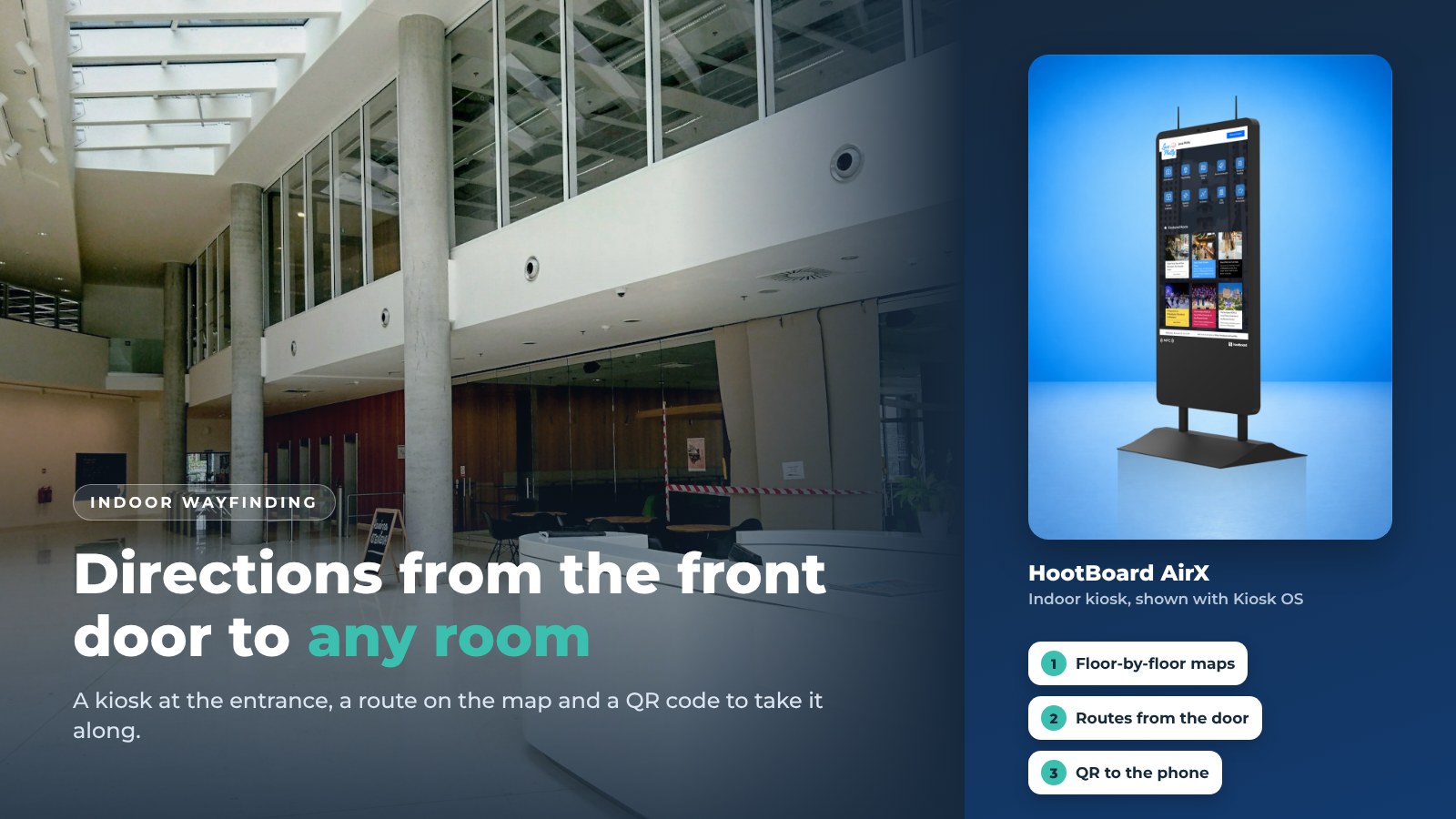
HootBoard uses the first two. A kiosk at each entrance or floor gives directions from where the visitor stands, and the QR handoff carries the route to the phone. There are no beacons to install and no batteries to replace.

The benefits of indoor wayfinding technology
A good system helps everyone who walks in the door, from first-time visitors to staff who have worked there for years.
- Less stress for visitors and students. Running late for a class or an appointment in an unfamiliar building is a bad start. Clear directions from the door remove it.
- Higher satisfaction. Visitors who find their way quickly remember the place, not the confusion. For a visitor center or a campus on tour day, that is the first impression.
- Shorter lines at the desk. Direction requests are the most common question at any front desk. A kiosk answers them in parallel, so staff handle the questions that need a person.
- Lower cost of helping people. Staff stop walking visitors to rooms. Printed maps and directories stop going out of date.
- Data on what people look for. A digital system records what people search for. The top searches show where signage, room names or the map itself need work.
Best practices
Most of what makes wayfinding work is decided before the first visitor touches the screen.
- Put kiosks at decision points. Entrances, elevator lobbies and the junctions where hallways split.
- Keep the map simple. Clear floor plans, consistent names and a search box. If the building name on the map differs from the one on the door, fix one of them.
- Make it accessible. Screen height for wheelchair users, step-free route options, high contrast and large touch targets.
- Offer the route on the phone. Few people memorize six turns. A QR handoff removes the need.
- Match your brand. Colors, logo and map style should look like the building they are in, so people trust the information.
- Plan for connectivity. Confirm reliable network access at each kiosk, and choose a system that keeps working offline with cached content.
- Test before you launch. Walk every route with someone who does not know the building.
- Watch the metrics. Check the top searches every month and make sure each one leads to the right place.
Getting started
Four steps take a building from paper maps to indoor wayfinding.

Step 1: Choose the spaces
Start with the building or floors where people get lost most. A student union, a county services building or the main visitor center is a typical first site.
Step 2: Load the maps
Import existing floor plans (CAD or IMDF files work in HootBoard) or draw them, then name every destination the way people say it.
Step 3: Place the kiosks
Set each kiosk's "you are here" point, then put the same board on your signage screens and on a web link so phones can use it too.
Step 4: Test and tune
Walk the routes, fix the names and check the top searches in the first month.
Pick a provider with a track record of support. HootBoard includes 24/7 software and hardware support.
Indoor wayfinding software
The software decides what the kiosk can do. Our detailed checklist is in 7 features that make the best wayfinding software. The short version is below.
Features to look for
- Interactive maps you can edit yourself, built from your own floor plans
- Point-to-point routes, including across floors
- Accessible (ADA) route options and evacuation routes
- Search and browse by destination, department or category
- Directions sent to the phone by QR code, with no app to install
- Multi-language support
- Real-time updates from a browser, from anywhere
- Analytics: top searches, heatmaps and QR scans
HootBoard's Indoor Navigation app covers all of the above: floor-by-floor maps, multi-floor routing, ADA and evacuation routes, CAD and IMDF import, QR handoff and multi-language. It runs on the same kiosk as the Events, Directory and City Guide apps, so one screen covers "where" and "what's on."

Once you have chosen the software, you can run it on kiosks, on your existing digital signage screens, or as a web link from your website. For buying advice on the kiosk itself, see how to choose an indoor wayfinding kiosk.
See the Indoor Navigation app in a demo
Where indoor wayfinding is used
Any building where first-time visitors arrive with a question is a good fit. These are the most common.
Campuses
New students, visiting families and adjunct staff all need the same thing in the first weeks: the right building and the right room. A kiosk in the student union or library with the campus map, dining, shuttle and events on one screen answers most of it. Read more on campus wayfinding kiosks.

Visitor centers
A visitor center kiosk routes travelers to the restrooms, the exhibit and the trailhead parking. On the same screen, the City Guide app lists places to eat, stay and visit nearby, with featured partner listings shown first.
Civic buildings
A city hall or courthouse kiosk gets residents to the right counter on the right floor without a line at the information desk. Step-free routes help people who use a wheelchair or a stroller.

Transit hubs
Stations and terminals combine wayfinding with live arrival times and alerts on one screen.
Museums
Large museums have many rooms and rotating exhibits. Wayfinding gets visitors to the exhibit and can show information about it on the way.
Hospitals
Visitors find patients and departments, and staff find their way around a large campus. Clear routes mean fewer missed appointments and late arrivals.
Let's get started
If you want to see how indoor wayfinding works on a real kiosk, with your floor plan if you have one, we will set up a short demo.
FAQ
What is indoor wayfinding technology?
Digital tools that help people navigate inside a building: interactive map kiosks, phone-based directions and, in some systems, indoor positioning. They replace static directories and printed maps.
Do indoor wayfinding solutions need beacons?
No. Kiosk-based systems give directions from a known position and hand the route to the phone by QR code. Beacons are only needed for live turn-by-turn tracking of a phone, which requires a dedicated app.
How long does it take to set up indoor wayfinding?
It depends on the size of the building and whether you already have CAD or IMDF floor plans. Most of the work is drawing the rooms and naming destinations the way visitors say them.
Can indoor wayfinding be accessible?
Yes. Look for step-free (ADA) route options, adjustable kiosk height, a high-contrast display and the ability to send directions to a personal device.