
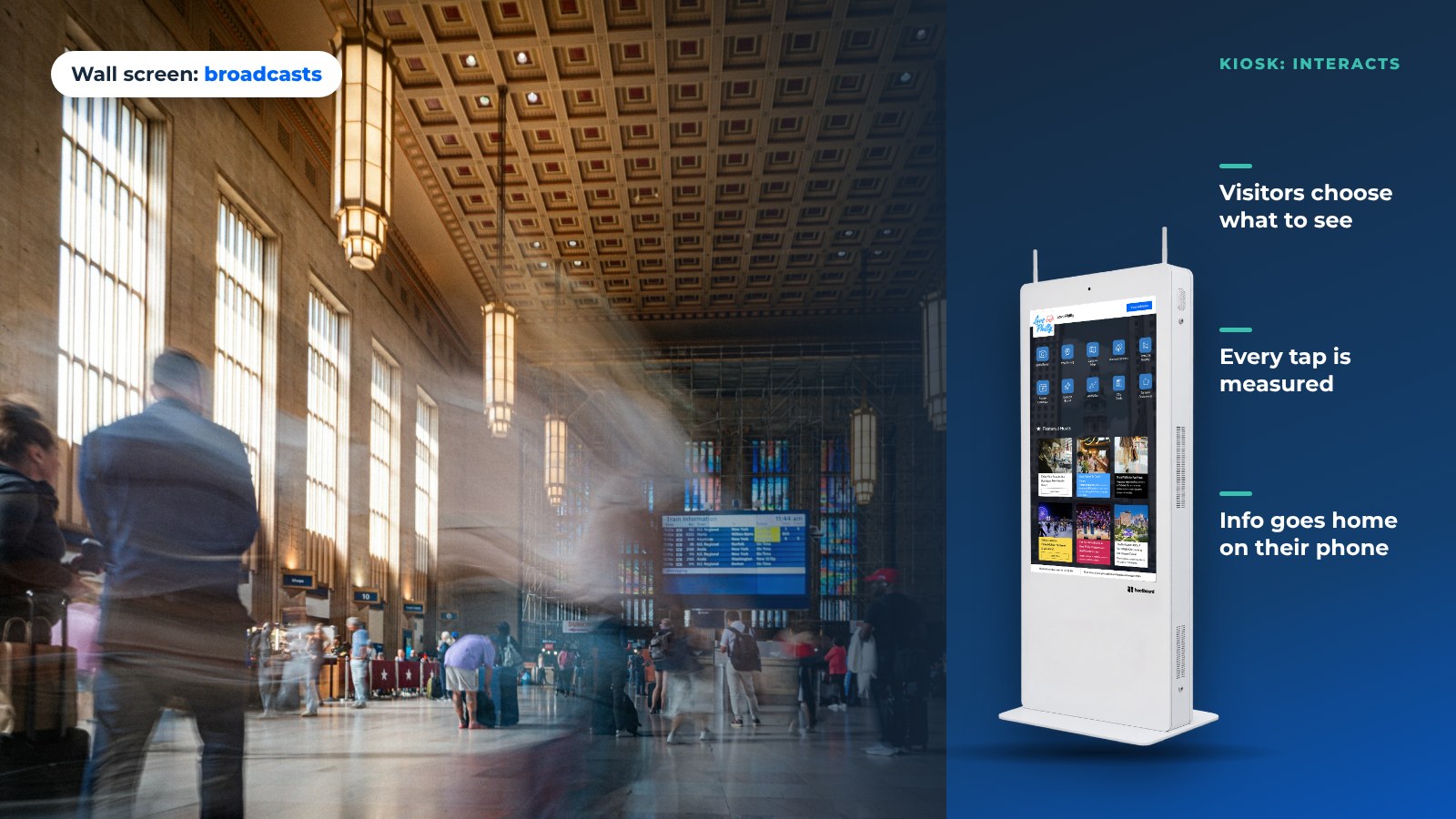
Walk through any visitor center, student union, city hall or transit hub and count the screens. Then count the people looking at them. Most displays play on a loop to nobody. Digital signage kiosks are the exception: they are the screens people walk up to and use.
That is the odd thing about digital signage today. There are more screens than ever, and less attention for each one.
The screens that get used have one thing in common. A visitor can touch them and get what they came for: a map, today's events, directions sent to their phone. This article explains why one-way signage gets tuned out, why interactive kiosks don't, and what a kiosk needs to earn that attention.
Static screens no longer work on their own
Digital signage was the natural upgrade from printed posters, and for a while it worked. Then it hit the same wall posters did: too many of them, saying things nobody asked for.

A person walking past gives a screen a few seconds at most before deciding whether it is worth a look. That is barely enough time for a headline, let alone a message that changes what they do next.
The problem is not the screen. It is the method.
Why most digital signage fails
- It is one-way. The loop plays whether or not anyone is there. Everyone sees the same thing, so it feels generic and is easy to ignore.
- It is untargeted. Content rarely changes by time of day, audience or location. A dinner promotion runs at 9:00 AM, and a campus event keeps running after it ended.
- It has no feedback loop. You can't tell what people looked at, how long they stayed or what they came for. Nothing gets better because nothing is measured.
- It has no next step. A poster on a screen is still a poster. There is nothing to tap, scan or take with you.
In short, static digital signage is the billboard of this century: visible, but not really seen.
Interactive kiosks: engagement by design
Now picture a screen that listens. A visitor walks up, taps Events, picks tonight, and scans a QR code to put the details on their phone. The screen didn't interrupt them. They chose it.
That shift from broadcasting to interacting is why digital signage kiosks work where plain signage doesn't.
What makes interactive kiosks different
- The visitor opts in. When someone walks up and touches the screen, the time they spend there is earned attention, not borrowed.
- The content fits the person. The visitor picks the language, the topic and the place, so a kiosk can show a family the parks and a conference guest the agenda.
- It goes both ways. Visitors search, browse, leave feedback, register for things, or send directions to their phone.
- Every tap is data. You learn what people look for, which apps they open, and when the screen is busiest.
- It is always current. Cloud-managed kiosks like HootBoard update from a browser in minutes, so seasonal and same-day content is normal, not a project.
The easiest way to think about it: the kiosk is a personal concierge that also happens to be a sign. When it's idle, it plays your signage playlist. When someone touches it, it answers questions.
What the analytics actually show
Because a kiosk is interactive, it can report things a wall screen never could. That is the real proof that it is working.

HootBoard's analytics cover:
- Engagement per screen. How many sessions each screen gets, how long people stay, and which screens in a network earn their spot.
- What people open. Which apps and posts get tapped: City Guide, Events, Wayfinding or a single announcement.
- Top searches. What visitors type into the kiosk, in their own words.
- Heatmaps. Where on the screen people tap, which shows whether your layout matches what they want.
- QR scans. How many visitors took content with them on their phone, the clearest sign the kiosk did its job.
- Who is visiting. Where visitors come from, how long they stay and who they travel with.
None of this exists for a one-way screen. With it, a DMO can see which neighborhoods tourists ask about, a campus can see which offices students look up, and a city can see which services residents need most. Then they fix the content, the signs or the service.
See the kiosk analytics in a demo
Who this matters for
The same kiosk does a different job in each building. Here is what that looks like for the three places we work with most.

Destination marketing organizations and visitor centers
The kiosk at a visitor center, airport or downtown welcome point is often a traveler's first contact with the destination. A tourism kiosk can:
- Promote this week's events without reprinting anything
- Let visitors choose their language
- Send itineraries and directions to their phone
- Show which attractions and neighborhoods draw the most interest
Instead of guessing what works, a DMO gets real visitor interest data for the next campaign. Our guide on upgrading a visitor center goes deeper.
Campuses
A kiosk in the student union or library replaces the cluttered bulletin board and the "where is the registrar?" question with one screen. It covers the campus map, dining, shuttles, events and the help desk, with analytics that show what students actually need. See how it works on our campus kiosk page.
Cities and municipalities
In a city hall or transit hub, the same kiosk handles service directories, transit times, alerts and community notices. Residents can also post to a moderated community board.
Paying for the screens
Interactive screens can help pay for themselves. Local businesses can buy featured City Guide listings, which show first in the list. HootBoard customers can also sell ad slots through AdSpace, an integrated partner. Because the kiosk measures engagement, a sponsor sees real numbers instead of estimated impressions.
The psychological advantage: agency
There is a behavioral reason kiosks hold attention. When a person chooses to touch a screen, picks a category and finds an answer, they own the interaction.
Psychologists call a related pattern the IKEA effect: people value what they helped make. The same idea applies here. Agency amplifies attention.
Cost: one kiosk, several jobs
Kiosks used to be a specialist purchase. Today a HootBoard kiosk runs signage playlists when idle, and wayfinding, events, a city guide, a directory and alerts when touched. One screen does the work of several.
You can buy a kiosk with the software pre-loaded, or bring your own screen or Android device and install HootBoard kiosk software. The software starts on the always-free Launch plan, and paid plans add more screens, apps and analytics. That makes the first kiosk a small step, not a capital project.
Our kiosk buying guide covers what to weigh before you choose hardware.
What makes a high-performing kiosk
Not all kiosks are equal. A screen that is slow, out of date or broken loses the visitor in seconds, and it rarely gets a second chance.

To hold attention, a kiosk must be:
- Fast. It responds to touch right away, and the home screen makes sense in two seconds.
- Relevant. Content fits this place, this day and this visitor, with other languages one tap away.
- Easy to update. Staff change it from a browser in minutes, without IT.
- Measurable. Analytics are built in, not a separate tool.
- Scalable. Every location is managed from one dashboard, with priority-override alerts across the whole network.
- Built for the real world. Commercial hardware, offline readiness and 24/7 support.
HootBoard was built around that list. It goes live in under 30 minutes, needs no technical skill, and runs kiosks, signage and mobile from one hub.
From passive screens to screens that work
Attention is no longer a given. Static digital signage is turning into background noise. Digital signage kiosks earn attention by being useful, and they prove it with data.
If your screens are playing to an empty room, we can show you what the same screens do when visitors can touch them. Book a demo and we'll walk you through it.
FAQ
What is a digital signage kiosk?
A digital signage kiosk is a touchscreen that plays signage content when no one is using it. When a visitor touches it, it becomes an interactive tool with maps, events, a directory and search.
Is interactive digital signage better than static signage?
For information people need, yes. Visitors opt in, choose what they want and can take it with them. Static signage still works for short messages like a welcome or a sponsor loop, which is why kiosks run both.
Can a kiosk still run my signage playlist?
Yes. HootBoard Screen Playlists run on the idle screen, and the interactive apps appear as soon as someone touches it.
How do you measure digital signage engagement?
On a kiosk you can measure sessions, time on screen, apps and posts opened, top searches, heatmaps and QR scans, screen by screen. A one-way screen can only estimate how many people walked past.