
Kiosks are showing up in more city halls, libraries, transit hubs and downtown streets. Residents and visitors use them to find directions, check the next bus, see what is on this weekend and read an alert when it matters. Picking the best interactive kiosk for your city is less about the screen and more about the kiosk software that runs on it.
This guide walks through five steps to make that decision for your smart city kiosk program. Then it lists six things worth comparing between vendors before you sign.
Step 1. Define what the kiosk is for
Sit down with the people who will own the kiosks: communications, tourism, transit, IT and whoever runs the buildings. Agree on the jobs the screen should do on day one, and the jobs you want it to take on in year two.

Common jobs for a city kiosk:
- Visitor information. Places to eat, parks, attractions and a city guide, with directions sent to the phone.
- Wayfinding. Indoor directions in a civic building, or outdoor directions downtown.
- Transit. Live bus and rail arrivals for the stop outside.
- Events. A calendar fed from the event sources the city already uses.
- Alerts. Weather and public safety messages that can take over every screen when needed.
- Local business listings. Featured spots for local businesses that help the program pay for itself.
Write the list down and rank it. It becomes your scorecard for every demo you sit through.
Step 2. Understand how the cost scales
Most kiosk software is licensed per screen. That means the number of kiosks drives your ongoing cost more than anything else. Ask every vendor three questions:
- Is there a way to start small and prove the program before paying for more?
- What moves you from one plan to the next: screens, apps or analytics?
- Are interactive kiosk licenses and signage-only licenses counted separately?
HootBoard starts on the always-free Launch plan. You move to a paid screen subscription as you add screens, apps and analytics, and one screen is one license. See how HootBoard plans scale.
Factor in hardware care too. Ask who replaces a cracked screen, and whether the vendor supports both the software and the hardware.
Step 3. Test the visitor experience yourself
If a resident cannot work out the screen in a few seconds, the feature list does not matter. Stand in front of the kiosk, or a live demo of it, and check these five things.

- The home screen. Big, clearly labeled tiles for the main jobs, with no menus to hunt through.
- Touch targets. Buttons sized for fingers and placed within reach of a wheelchair user.
- Take it with you. A QR code that sends directions or event details to the visitor's phone, with nothing to install.
- Languages. Content a visitor can switch to their own language.
- Idle screen. What plays when nobody is touching it, and whether it is useful or just noise.
Bring someone who has never seen the product. Watch where they tap first, and where they get stuck.
Step 4. Compare the features that matter for a city
Once you have a shortlist, compare on specifics rather than on marketing pages. These are the checks that separate a city-ready platform from a generic one.
- Apps included. A city guide, wayfinding, events, transit, weather and a directory should be ready to switch on, not custom-built.
- Integrations. It should pull from the calendars, social accounts and alert feeds you already run. HootBoard has a growing list of built-in integrations, including iCal calendars, Instagram, GTFS transit data, National Weather Service alerts and RSS, plus 1000+ more through Zapier.
- Offline readiness. Street kiosks lose connectivity. The screen should keep showing cached content and recover on its own.
- Remote management. You should be able to update one screen or every screen from a web dashboard, without a site visit.
Hardware is the other half of this step. An indoor lobby kiosk and an outdoor street kiosk are different machines.

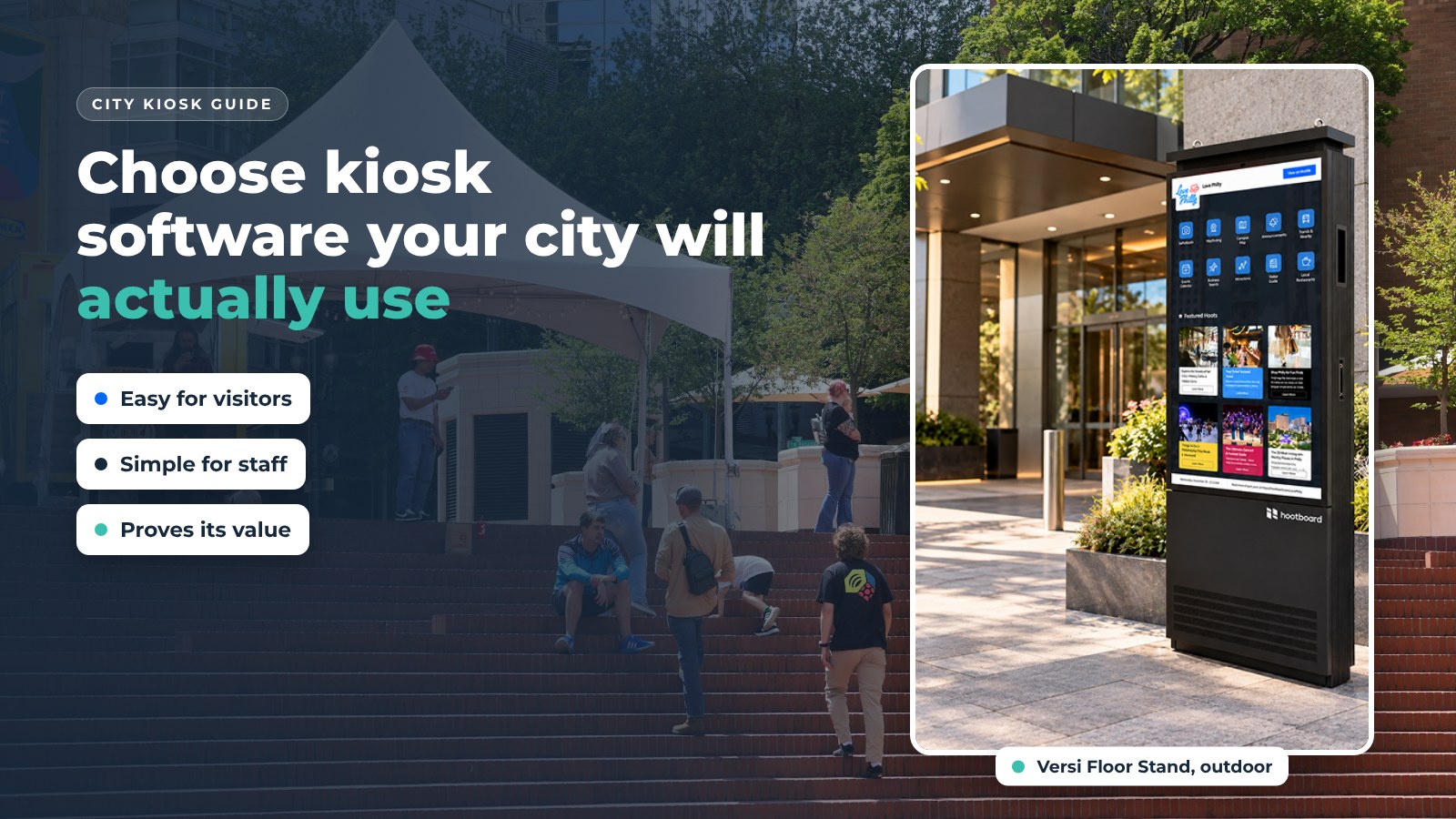
HootBoard's indoor models are AirX, Glide and Glide XT. The outdoor models are the Versi Floor Stand and Versi Wall Mount. Details are on the HootBoard store.
The software should also run on screens you already own. HootBoard runs on its own kiosks, on any Android 7+ screen through the HootBoard app, and on an x86 PC by booting HootBoard Kiosk OS from USB.
Step 5. Talk to other cities
Online reviews help, but a call with a peer helps more. Ask each vendor for a reference in a city or destination like yours.
Ask that reference three things: how fast support responds, how often their team updates content, and what they would do differently. HootBoard's public references include the City of Elizabeth, NJ, Visit South Bend Mishawaka, Visit Santa Rosa, Visit Newport News and Visit Pennsylvania.
Six things to compare before you sign
Use these six points side by side for every vendor on your shortlist. They cover what your staff, your residents and your budget office will care about after launch.
1. Ease of use for staff
Updating content should feel like filling in a web form, not using a design tool. Community groups and partner businesses should be able to submit a post that staff approve in one click.
2. Scalability
Adding a tenth or fiftieth kiosk should mean adding a license, not starting a new project. Look for one dashboard that covers every screen.
3. Hardware compatibility
Confirm the software runs on the kiosks you have or plan to buy, indoor and outdoor. Ask whether the vendor sells and supports hardware too.
4. Analytics
You will need to show the program is working. Ask what the software reports: visits per screen, dwell time, where visitors come from, top searches and QR scans.

Numbers like these make budget conversations easier. They also show you which screens and which content to improve first.
5. Monetization
Featured listings for local businesses are the simplest way for a kiosk program to cover its own costs. On HootBoard, featured City Guide listings show first in the list. HootBoard also offers AdSpace, an optional screen advertising service run by an independent partner company.
6. Support
Someone needs to answer at 7:00 AM on a Saturday when the downtown screen is dark. Look for 24/7 software and hardware support in the contract.
Where HootBoard fits
HootBoard is a kiosk operating system and content platform, plus the touchscreen kiosks that run it. A city can stand up an interactive kiosk, matching signage screens and a mobile version in under 30 minutes, with no IT project. It ships on HootBoard kiosks and also runs on screens you already own.
If you are working through this checklist, book a 20-minute demo and we will walk through it with your own content.
FAQ
What is the best interactive kiosk software for a city?
The best choice is the one residents can use without instructions and staff can update without IT. Compare apps, integrations, offline readiness, analytics, monetization and support, then test the visitor experience in person.
Do I have to buy new kiosks to run kiosk software?
Not always. HootBoard runs on its own kiosks, on Android 7+ screens and tablets through the HootBoard app, and on x86 PCs by booting HootBoard Kiosk OS from USB.
Can city kiosks pay for themselves?
Many programs offset costs with featured listings for local businesses. HootBoard also offers AdSpace, an optional screen advertising service through an independent partner.
Can we start small?
Yes. You can start one kiosk on the free Launch plan, prove the program, then add screens and apps as you grow.