
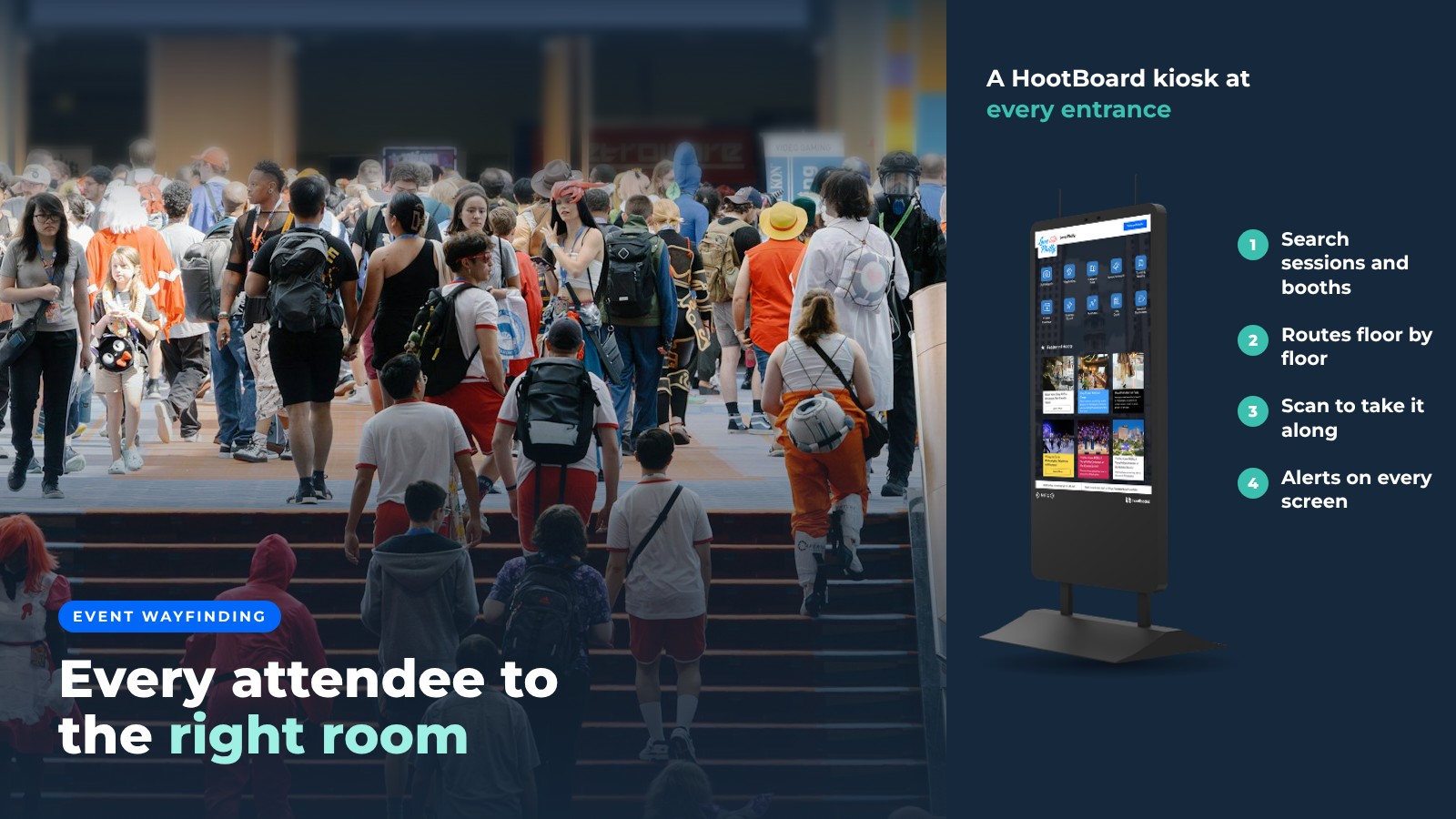
If you are organizing an event, people need to find their way around easily and safely. Event wayfinding signage makes that happen. A conference across three floors, a festival across a park, a trade show with hundreds of booths: in each case the first question attendees ask is "where is...?"
Good signage answers that question before anyone has to stop a volunteer. Printed signs do part of the job. Digital wayfinding kiosks and signage screens do the rest. They change when the schedule changes, they show a route instead of an arrow, and they can send that route to the attendee's phone.
This guide covers what event wayfinding signage needs to do, what to put on the screens, and how to get it running before the doors open.
It removes confusion and frustration for attendees
The last thing an attendee wants is to feel lost. When people can find a room, a booth or a restroom without stopping, they see more, stay longer and leave with a good memory of the event.
A digital wayfinding kiosk at each entrance does three things a printed map cannot:
- Search. Tap a session room, exhibitor or facility and see where it is from where you stand.
- Show the route, floor by floor. A path on the floor plan, with an accessible route when someone needs it.
- Hand it off. A QR code opens the same map on the attendee's phone, so nobody has to memorize turns.

It gives staff their time back and improves safety
Every "where is the keynote?" answered by a screen is one less question for a volunteer. Your team can focus on registration, speakers and the problems only a person can solve.
It helps with safety too. Staff who are not busy giving directions can keep an eye on the crowd. And when something changes, like a room evacuation, a weather delay or a closed exit, every kiosk and screen on the network can switch to a priority message at once.
It is easy to update, so the information stays current
Schedules change the night before. Rooms swap the morning of. A printed sign cannot keep up, and a volunteer with a marker is not a system.
With digital event wayfinding, you edit once from a laptop or phone and every screen updates. This is the big win of real-time digital signage for wayfinding. Typical same-day changes look like this:
- A session moves rooms, and the map and the schedule update together.
- A sponsor booth is added, and it shows up in search as soon as you save.
- A hall closes early, and you take it off the map so nobody is sent there.

If the venue Wi-Fi drops, HootBoard kiosks keep showing their cached content and catch up when the connection comes back.
It is quick to set up and easy to use
Event teams do not have weeks for an IT project. Modern kiosk software is cloud-managed and runs on more than purpose-built kiosks. An Android screen or tablet you already own can become a wayfinding point by installing one app, and a spare PC can boot into kiosk mode from a USB stick.
Content goes in through a simple web dashboard, not a design tool. Anyone on the events team can post the day's schedule, upload the floor plan and turn on the map.
What to put on event wayfinding screens
A good event screen is more than a map. Attendees walk up with several questions, and the screen should answer all of them.
- Interactive floor plan. Multi-floor, with accessible routes and a clear "you are here."
- Schedule. Pulled from your event calendar, so it is never out of date.
- Exhibitor or vendor list. Searchable, with a way to find each one on the map.
- Practical info. Restrooms, first aid, parking, transit and Wi-Fi.
- Alerts. A message that takes over every screen when it matters.
- Idle content. Sponsor messages and highlights that play when nobody is touching the screen.
- Take it with you. A QR code so attendees can carry the map on their phone.
Place the first kiosks where people make decisions: the main entrance, the bottom of escalators, the registration area and the doors to the exhibit hall. For outdoor festivals, put them at the gates and near the food and stage areas.
How HootBoard handles event wayfinding
HootBoard is a kiosk operating system and content platform, plus the kiosks that run it. For events, four parts do the work:
- Indoor Navigation. Import your floor plans (CAD or IMDF files work), mark destinations and kiosk spots, and visitors get floor-by-floor routes, including accessible and evacuation routes.
- Events app. Reads your schedule from an iCal feed, so Eventbrite and Google, Outlook or Apple calendars work. Localist and The Events Calendar connect too.
- Screen Playlists. Idle-screen signage for sponsors and announcements, on the kiosks and on any extra screens around the venue.
- Emergency notifications. A priority message across the whole network, with National Weather Service alerts available as a built-in feed.

The HootBoard kiosk software goes live in under 30 minutes, with no IT needed. It runs on HootBoard's own AirX, Glide and Glide XT indoor kiosks, on the outdoor Versi for festival grounds, or on Android screens and PCs you already have.
Destination teams that host festivals and visitor events can use the same screens all year as tourism kiosks. Some apps, like Indoor Navigation and emergency alerts, are on paid plans, so see HootBoard plans for what fits your event.
Make the event easier to walk
Event wayfinding signage does more than point. It cuts the questions at the help desk, keeps attendees in sessions instead of hallways, and gives you a way to reach everyone when plans change. If you have an event coming up, book a demo and bring your floor plan.
FAQ
What is event wayfinding signage?
Signs and screens that help attendees find rooms, booths, exits and facilities at an event. Digital versions add search, routes on a floor plan, live schedule changes and the option to send directions to a phone.
How is digital event wayfinding different from printed signs?
It updates as soon as a room or session changes, shows a route instead of an arrow, works across floors and can push an alert to every screen at once.
Can attendees take directions with them?
Yes. A QR code on the kiosk opens the same map on the attendee's phone, with no app to install.
How fast can event wayfinding kiosks be set up?
HootBoard kiosk software can be running in under 30 minutes. Mapping the venue takes longer and depends on how many floors and destinations you have, so start with your floor plans well before the event.
Does it work if the venue Wi-Fi fails?
HootBoard kiosks keep showing cached content offline and sync when the connection returns.