
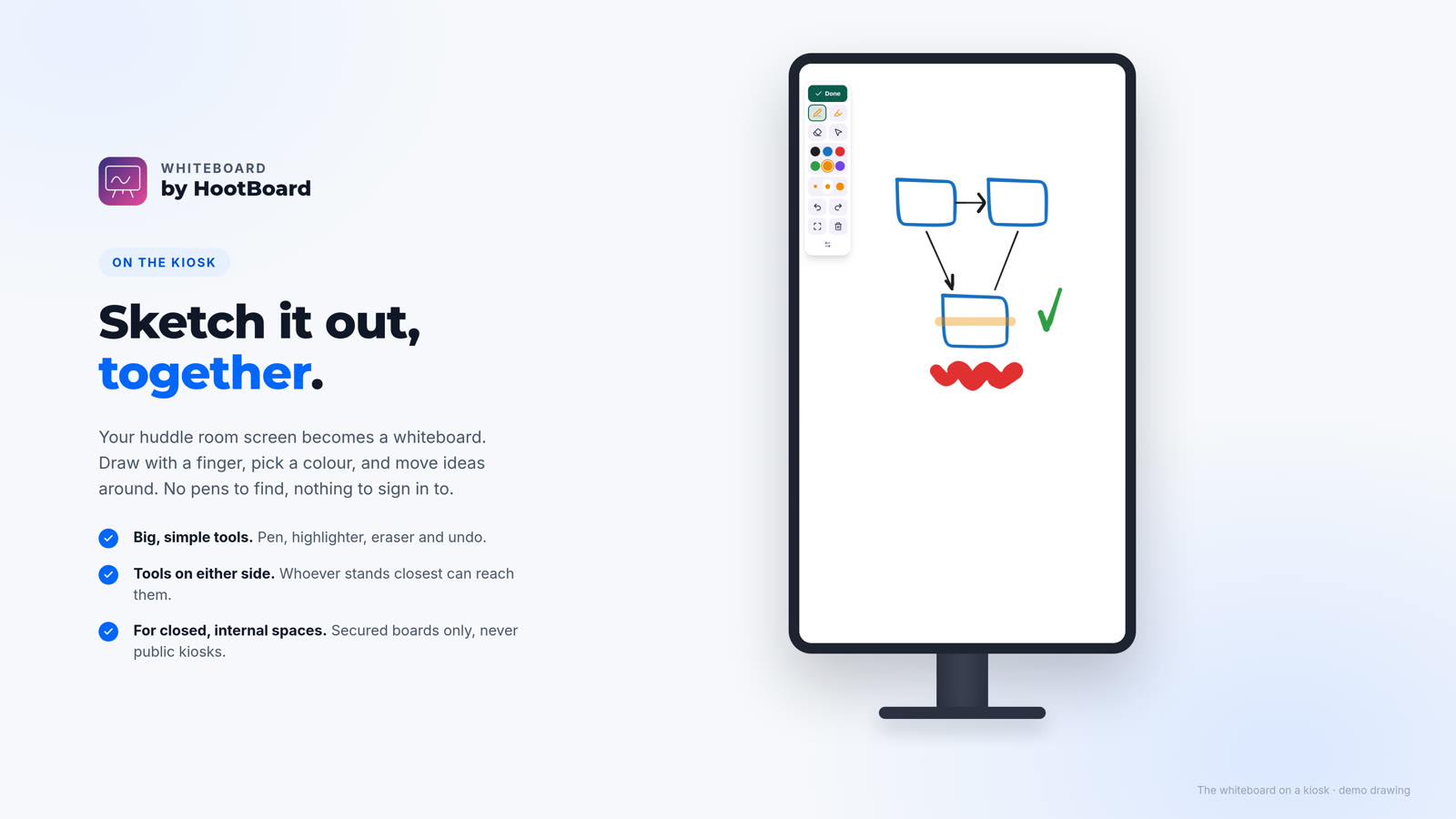
Whiteboard is a new HootBoard app. It turns the screen in your huddle room into a whiteboard you draw on with a finger, and when the meeting is over you can save it to your dashboard or clear it for the next group.
Every office knows the huddle room whiteboard: the markers that have run dry, the half-erased plan from last week, and the photo someone took on their phone that nobody can find. Meanwhile there is a big touch screen on the wall that mostly shows the attract loop.
So we built Whiteboard. Tap its tile and the whole screen is yours to sketch on. No pens to find and nothing to sign in to.
Draw with a finger
The tools sit in one rail on the side of the screen, big enough for a finger and high enough to reach. Everything else is canvas.
- Pen and highlighter. Six marker colors and three sizes, all bold enough to read from across the room.
- Eraser, undo and redo. Tap a line to erase it. Cleared the board by mistake? Undo brings it back.
- Move things around. Select a sketch and drag it somewhere else as the idea takes shape.
- Room for every idea. Use two fingers to move around and pinch to zoom. Fit to screen brings everything back into view.
- Tools on either side. Move the rail to the other side of the screen so whoever is standing closest can reach it.

Save it, or start fresh
When you're done, tap Done. Choose Save to dashboard to keep it, or Discard to let it go. Either way the screen comes back clean, so the next meeting starts with an empty whiteboard and nobody walks in on yours.
- Nothing to type. A saved whiteboard is named after the room and the time, like Huddle Room 2, Nov 21, 3:40 PM. You can rename it later.
- Saves even when the screen is offline. The whiteboard waits on the screen and reaches your dashboard as soon as it's back online.
- Room to talk. Meetings pause to talk things through, so the screen gives you twenty minutes without a touch before it asks if you're still there.

Every whiteboard, kept safe
Saved whiteboards wait in your Whiteboards dashboard, newest first, each with a picture, the room it came from and when it was saved. Open one to see it full size, download the picture to share in a chat or an email, rename it, or delete it when you no longer need it.
Whiteboards often hold what a meeting discussed, so they're private to you and your admins. Links to a whiteboard expire on their own after a few minutes, so a forwarded link stops working. They're kept until you delete them.

Made for closed, internal spaces
Whiteboard is for the screens your own people use: huddle rooms, meeting rooms and staff areas. It isn't meant for public kiosks in a lobby or on the street, so it's only available on secured boards. If a board stops being secured, Whiteboard switches off on its screens. Your saved whiteboards stay in your dashboard.
Have a closed space that isn't on a secured board? Write to us at support@hootboard.com and we'll talk it through with you.
Set it up in a few minutes
- Find Whiteboard under Tools in the HootBoard App Store and add it to the screens in your huddle rooms.
- On the screen, tap the Whiteboard tile and start drawing.
- When you're done, tap Done, then Save to dashboard.
- To see your saved whiteboards, click Open dashboard on the Whiteboard app.
Whiteboard runs on screens using the latest version of the HootBoard kiosk app. Questions, or want a hand setting up your first huddle room? Write to us at support@hootboard.com.
The bottom line
The screen in your huddle room is already there. Whiteboard makes it the place where the team sketches the plan, keeps what matters and leaves the room clean for the next group. No markers, no lost photos, and nothing left on the wall.