
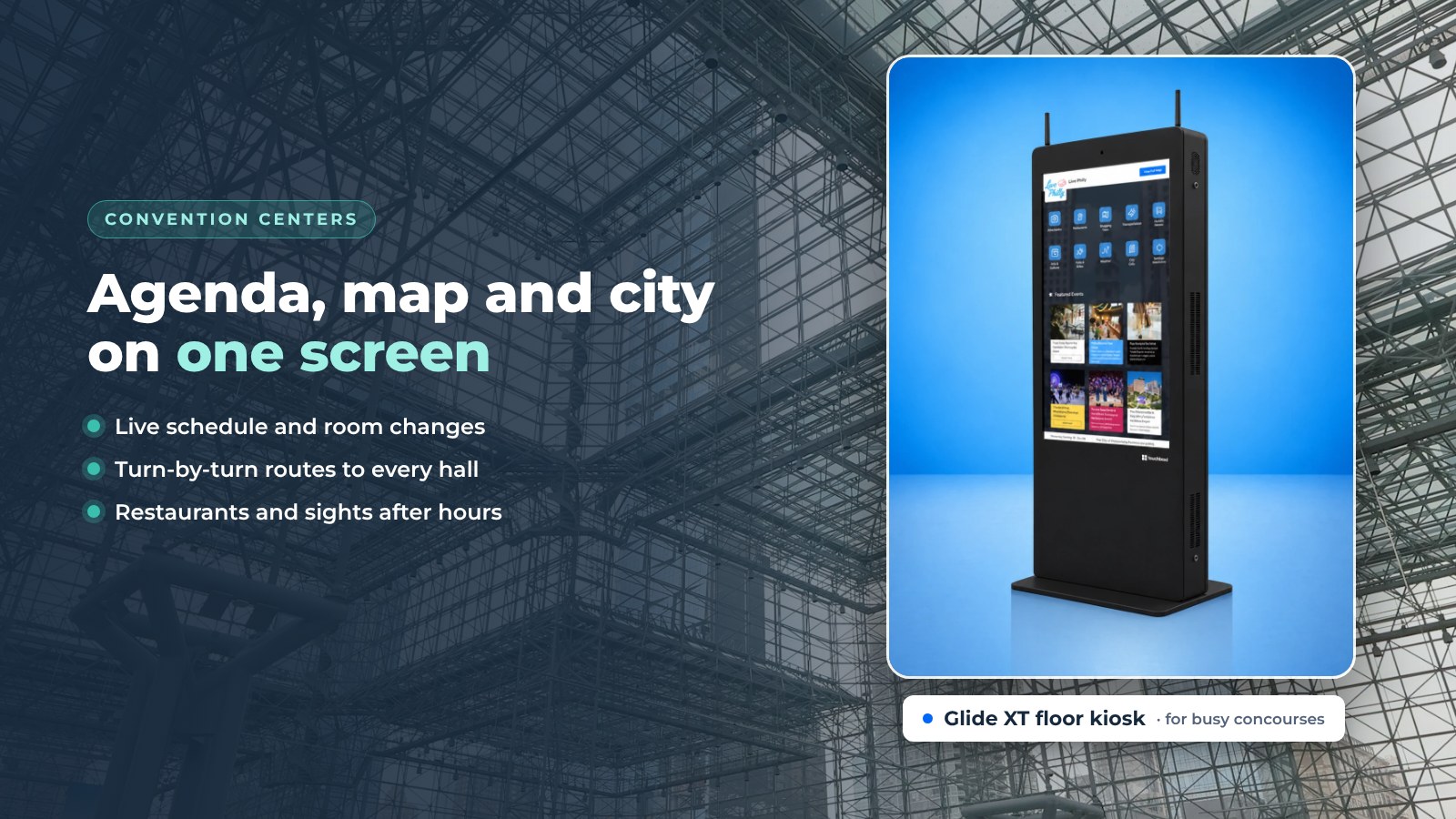
Digital signage for convention centers does more than show logos between sessions. For tens of thousands of attendees a year, the convention center is the first part of a city they see, and the convention and visitors bureau (CVB) that booked the show knows it. The concourse is where a destination makes its first impression.
That is also where communication often falls short. Attendees need the room, the schedule change, the nearest coffee and a reason to go out and see the city. Screens and interactive kiosks can answer all of that, if the software behind them is up to the job. This guide covers what screens should do in a convention center, what to look for in the software, and how to roll it out.
What screens do on a convention concourse
Good convention center signage answers the same handful of questions all day, so people don't have to line up at the help desk. Here is what that looks like on a show day.
Wayfinding
Large halls, numbered rooms and several levels confuse everyone. A touchscreen kiosk with the Indoor Navigation app shows the route from where the attendee stands to Hall C, the keynote room or the shuttle pickup. Routes go floor by floor, with accessible routes for attendees who need them.

Live schedule and room changes
Sessions move and rooms change, and a printed program can't keep up. Screens connected to the event calendar show the current agenda and flag changes the moment staff post them. Attendees end up in the right room.
Agenda on the phone
Attendees don't want to walk back to a kiosk. Each session and exhibitor page on the screen has a QR code. Scan it and the agenda, the map or the exhibitor page opens on the phone, with nothing to install.
Interactive city guide
The convention center is the CVB's best chance to send attendees into the city. A City Guide app on the same kiosk shows restaurants, attractions, transit and after-hours events, with directions sent to the phone. It works the same way as an interactive tourism kiosk in a visitor center: the destination gets promoted and the attendee has a better evening.
Fewer questions for staff
Where is registration? Where is the restroom? When does the expo hall open? Kiosks take these questions, so staff can focus on the hard ones.
Analytics
Interactive screens show which sessions and exhibitors attendees opened, their top searches, how long they stayed and how many QR codes they scanned. That is planning data for the next show, for the venue and for the CVB.
What to look for in convention center signage software
Hardware is the easy part. The software decides whether the screens are still useful in week two. Here are six things to check before you choose.

1. Easy to use
Event staff will run it, not IT. Can a coordinator post a room change from a phone in two minutes? Can one dashboard manage every screen in the building? Does it keep working when the venue Wi-Fi is overloaded, with offline readiness built in?
2. Pays for itself
Exhibitors and local partners will pay to be seen on a busy concourse. Check that you can offer featured listings, which show first in the City Guide list, and sponsor spots on idle screens. For outside advertisers, HootBoard works with AdSpace, an optional service run by an independent partner company.
3. Carries the brand
Each show wants its own look, and the venue wants its own between shows. Can you brand the home screen for each event, with logos, colors and sponsor placement? Can you schedule the switch ahead of time?
4. Engages attendees
A concourse screen should do more than broadcast. Look for a Selfie app for the sponsor wall, polls, surveys and feedback forms for sessions, and trivia or spin-to-win for the exhibitor floor.
5. Keeps you organized
Does it connect to the calendars and tools you already use? Event feeds and iCal calendars should be built in, and Eventbrite events can come in through iCal. Zapier should cover the rest, with more than 1000 integrations.
6. Looks professional
Attendees judge the center by its screens. Are there designed templates? Can you schedule content by time of day? Does the idle-screen signage look as good as the interactive screen?
HootBoard covers each of these. You can read more about the HootBoard kiosk software, or compare plans to see which apps come with which plan.
Considerations before you roll out
The interactive kiosk market keeps growing, as Grand View Research's kiosk market report shows. But a kiosk is only as good as its placement and its content. Settle these points first:
- Placement. Put screens at entrances, registration, escalator landings and the mouth of the expo hall, not behind a pillar.
- Content ownership. Decide who posts: venue staff, show organizers, the CVB, or all three with an approval step.
- Privacy. Ask every vendor what attendee data the screens collect and what shows up in reports.
- Hardware for a concourse. Busy halls need commercial-grade screens. The Glide XT heavy-duty kiosk is built for transit hubs, malls and venues like these, while the AirX and Glide suit lobbies and lounges.
Screens the venue already owns can join too. Any Android 7 or newer screen can run the HootBoard app.

How HootBoard fits a convention center
HootBoard is a kiosk operating system and content platform. The venue publishes once, and the content shows on touch kiosks, on signage screens around the building and on attendees' phones.
- Indoor Navigation for the halls, with floor plans imported from CAD or IMDF
- Events feeds for the live agenda, from the organizer's calendar
- City Guide so the CVB's destination content runs on the venue's screens
- Selfie, polls, surveys and forms for sponsor activations and session feedback
- Screen Playlists for idle-screen signage between sessions
- Featured listings and optional AdSpace to help fund the program
- Priority-override alerts across every screen in the building for emergencies
- Analytics per screen and per show
A first screen is live in under 30 minutes, no IT needed, and support is available 24/7 for both the software and the hardware.
Final thoughts
Digital signage for a convention center is a software decision first. The right platform makes the concourse easier to get around, keeps the schedule accurate and sends attendees out into the city. It can pay part of its own way, and it shows the venue and the CVB what attendees actually did.
Choose it for how it will be used on day 200, not day one. Book a demo and we will build a sample show home screen with your floor plan.
Frequently asked questions
What is digital signage for convention centers?
It is the screens and touch kiosks around a venue that show the live agenda, wayfinding, exhibitor and dining information, and the city guide, all managed from one dashboard.
Can convention center signage show the live event schedule?
Yes. Connect the organizer's calendar or events feed, and the agenda updates on every screen as changes are made.
How do convention centers pay for digital signage?
Common sources are featured listings for exhibitors and local partners, destination content funded by the CVB, and optional advertising through a partner.
Does the venue need an IT team to run it?
No. HootBoard is cloud-managed and no-code. Event staff post from a web dashboard or a phone, and a screen is live in under 30 minutes.