
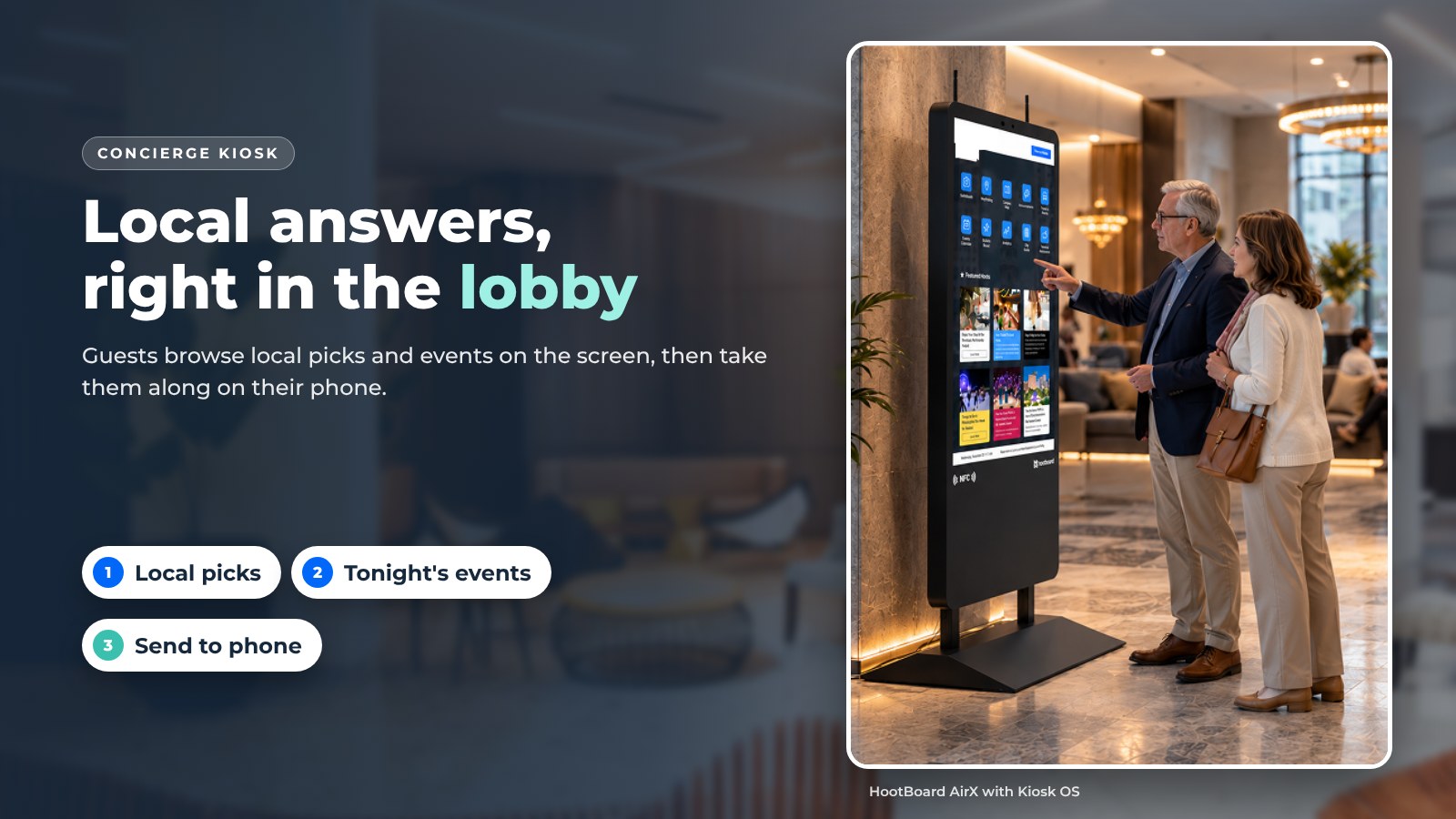
Guests ask the same questions at every front desk. Where should we eat? What's happening tonight? How do we get there? A kiosk concierge answers those questions on a touchscreen in the lobby, and lets the guest take the answer with them on their phone.
Hotel Concierge Software for Digital Signs and Kiosks
Hotels were the first to use them. Today the same kiosk stands in visitor centers, convention lobbies, resort welcome desks and apartment lobbies. This post covers the four things guests actually do on one, then the eight things to check before you buy. We build HootBoard, so we show how it works on our kiosks, but the checklist applies to any vendor.

1. Local picks guests can trust
Travelers want to know what locals like, not what a review site ranks. A concierge kiosk gives your staff a place to publish their own picks.
On HootBoard this is the City Guide app:
- Curated points of interest. Restaurants, coffee, shops, trails and attractions, grouped by neighborhood or type. Your team adds and edits them from a web dashboard.
- Featured partner businesses. Mark the places you partner with as featured. Featured listings show first in the list, so guests see them before anything else.
- Map and list views. Guests browse on a map or scroll a list, then open a detail page with hours, photos and a short write-up.
- QR directions. One scan sends walking or driving directions to the guest's phone. No app to install.
- Multi-language. Guests pick their language on the screen.

2. What's on tonight
Guests often miss a concert, game or festival because nobody told them. A concierge kiosk puts tonight's events on the home screen.
On HootBoard the Events app pulls from feeds you already keep: iCal and Google, Outlook or Apple calendars, Eventbrite via iCal, The Events Calendar or Modern Events Calendar on WordPress, Localist and Simpleview. Add an event once and it shows on the kiosk, the idle-screen signage and the guest's phone.
Each event card has the date, time and venue. The guest scans a QR code to save it, and the card links to the organizer's page for tickets. The kiosk itself does not handle payment, which keeps it simple and keeps card data off your lobby screen.
3. Build a day in a few taps
A printed "things to do" list goes out of date fast. The City Guide itineraries and trip planner let a guest pick a few places, see them on a map and send the plan to their phone.
Your staff can also publish ready-made itineraries: "A rainy afternoon downtown," "Family morning at the waterfront," "Two hours before your flight." These are the same ideas the front desk gives out loud, written once and reused.

4. Let the screen pay for itself
A lobby screen sees every guest. That has value for the businesses around you.
- Featured listings. Feature a partner restaurant or tour operator in City Guide, where featured listings show first in the list. You can also give partners a spot on the idle screen.
- AdSpace (optional). Customers who want to sell ad slots can do so through AdSpace, an independent partner company that HootBoard co-markets. It is a separate service, not part of the HootBoard subscription.
Keep guest value first. One or two featured partners next to honest local picks work. A wall of ads does not.
8 things to check before you deploy a concierge kiosk
A kiosk is a long-term purchase. Work through this list with any vendor.
- Objectives. Write down what the kiosk should do: cut repeat front-desk questions, promote partners, collect feedback. Everything else follows from this.
- Placement. High foot traffic, in the natural path from the entrance, reachable from a wheelchair, not in direct sun. Visibility drives use.
- Hardware. Screen size, touch quality, a commercial-grade panel rated for 24/7 use, and a build that stands up to a busy lobby. Outdoor placement needs a sealed, high-brightness unit.
- Software. Can a non-technical staff member update content the same day? Is there multi-language support? Does it hand off to phones?
- Privacy. Keep guest data to a minimum. If you collect emails or feedback, know where the data goes and how long it is kept.
- Maintenance and support. Who pushes software updates? Who do you call when a screen is blank at 7:00 AM? Look for 24/7 software and hardware support.
- Integrations. The kiosk should read from the calendars, event feeds and social accounts you already keep, so nobody types things twice.
- Training. A ten-minute walkthrough for front-desk staff and a short "touch to start" prompt on the idle screen is usually all anyone needs.

How HootBoard does it
HootBoard is a kiosk operating system and content platform, plus the touchscreen kiosks that run it.
- Live in under 30 minutes. Pick a kiosk from the HootBoard store (or bring your own Android or PC screen), sign in, add City Guide and Events, and publish.
- No IT needed. Staff manage everything from a web dashboard or the mobile app. Community posts can be approved with one click.
- One hub for kiosk, signage and phone. Publish once. It shows on the kiosk, on idle-screen playlists and on the guest's phone through QR handoff.
- Know your visitor. Analytics show dwell time, where visitors come from, what they open and the top searches on each screen.
- Built for the real world. Commercial hardware, offline-ready content caching, and 24/7 support.
- Start on the always-free Launch plan and move up as you add screens and apps.
Plans grow with you. To compare what each one includes, see HootBoard plans.
FAQ
What is a concierge kiosk?
A touchscreen in a lobby or welcome area that answers common guest questions: where to eat, what's on, how to get somewhere. Guests browse on the screen and send what they find to their phone.
Does a concierge kiosk replace front-desk staff?
No. It takes the repeat questions so staff can spend time on the ones that need a person.
Can guests buy tickets on the kiosk?
On HootBoard, event cards link to the organizer's ticket page and the guest finishes the purchase on their own phone. The kiosk does not take payment.
Do I need new hardware?
Not always. HootBoard runs on its own kiosks, on any Android 7+ screen or tablet with the HootBoard app, or on an x86 PC booted from the HootBoard Kiosk OS image.
How long does setup take?
Most boards are live in under 30 minutes. Adding your local picks and event feeds takes an afternoon.
A concierge kiosk earns its spot when it carries your team's own picks and tonight's events. Want to see one running with your local content? Book a 20-minute demo.