
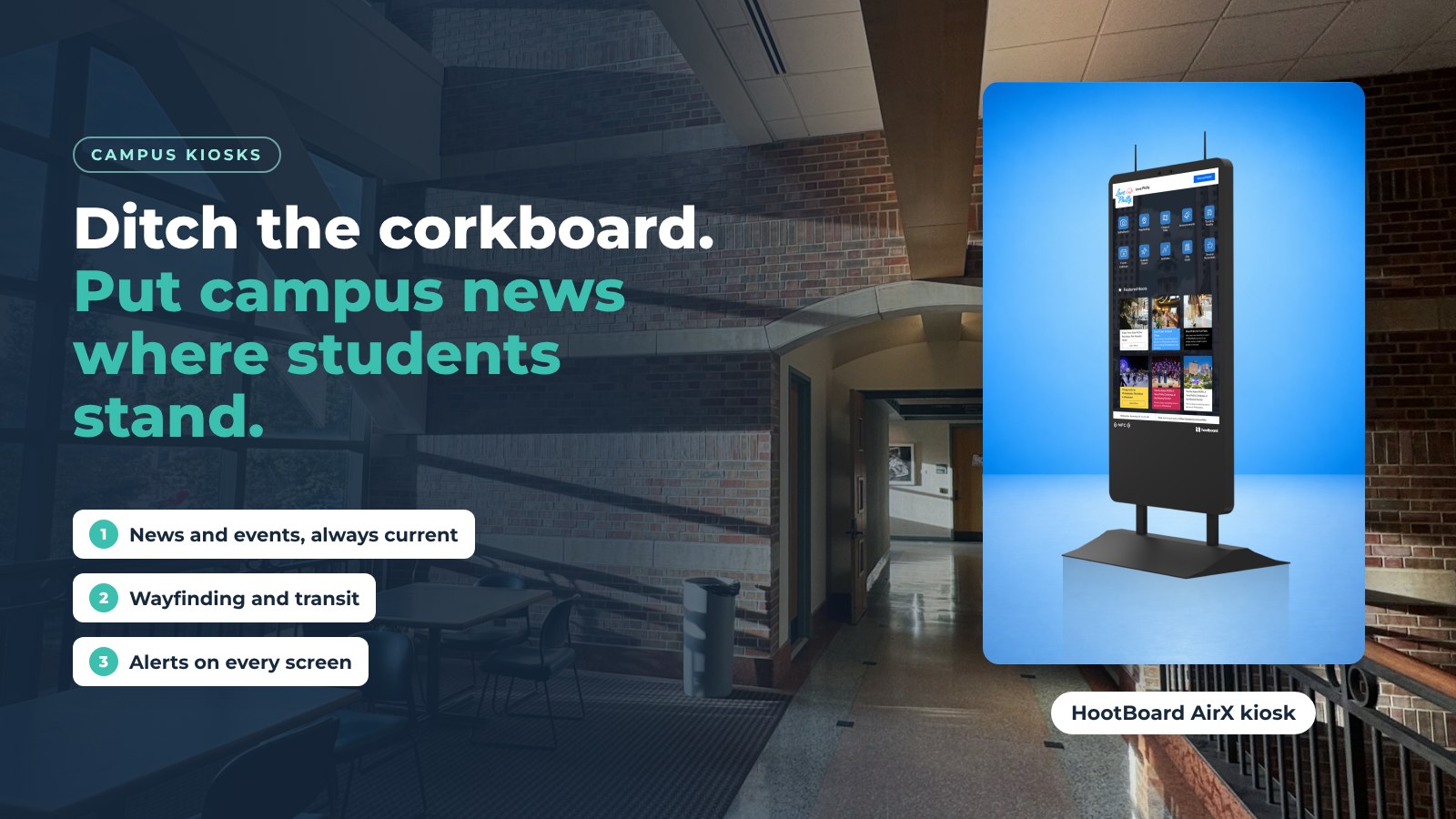
Nobody reads the corkboard outside the dining hall. Nobody opens the all-campus email either. Students still miss the club meeting, the shuttle change and the deadline, and the people who posted them never find out.
HootBoard kiosks fix that by putting the information where students already stand: the student union, the library lobby, the residence hall entrance. One touchscreen, updated from a web dashboard, that also feeds your signage screens and students' phones.
This post covers what the kiosks do, how the software behind them works, and what else they take care of once they are on campus.
Why old-school campus communication fails
The bulletin board. Limited space, so the important notice sits under three lost-cat flyers. Nobody is responsible for taking old posters down. Keeping it current is a job no one has.
The email blast. Open rates are low and falling. Even an opened email is forgotten by lunch. You cannot tell what anyone read.
Both channels broadcast. Neither lets a student ask "where is the career fair, and how do I get there from here?"

What HootBoard kiosks do differently
A kiosk turns that around. The message goes where students already are, and they can act on it.
- They are where students are. Place a kiosk in the union, the library or the dining hall and the message is seen without anyone searching for it.
- Each screen has its own board. The kiosk by the science building shows research opportunities; the one in the arts center shows performances. Same dashboard, different boards.
- Updates are instant. A class cancellation or a weather delay goes live across every kiosk, signage screen and the campus web board in seconds.
- Students take it with them. Every hoot and every map has a QR code. Scan it and the detail opens on the phone as a web page, no app needed.
- Less paper. Maps, event posters and schedules move to screens, which helps the sustainability goals most campuses already have.
Features that make a difference
Four features do most of the work.

Dynamic content, not static posters
Hoots carry images, video and links. Show student artwork, a highlight reel from the game, or the live campus news feed, and change it tomorrow.
Community posting with one-click approval
Clubs and departments submit their own hoots. A staff member approves them from the dashboard or the mobile app. The corkboard's one strength, that anyone could post, survives; the clutter does not.
Events from the calendars you already run
The Events app pulls from Localist, The Events Calendar, Modern Events Calendar, iCal feeds (Google, Outlook, Apple) and RSS. Publish once in your calendar and it is on the kiosk.
Interactive elements
Polls, quizzes, surveys and feedback forms turn a passerby into a participant. Ask about dining hours, promote an event, or run a friendly competition between residence halls.
Campus wayfinding
The number-one question at any information desk is "where is...?" The HootBoard Indoor Navigation app gives floor-by-floor routes through multi-floor buildings, offers ADA-accessible paths, and imports floor plans from CAD or IMDF files. For the wider campus, the map covers buildings, dining, parking and shuttle stops, and the Transit app shows GTFS schedules and real-time arrivals.

Every route ends with a QR code so the student, parent or visitor carries the directions with them. Analytics show which destinations are searched most, which is a good way to find out what your physical signage is missing.
Your control center
Managing a network of campus kiosks takes a web browser, not a stapler.

- One dashboard for all screens. Post, schedule, approve and monitor every kiosk and signage screen from one place. Moderate from the mobile app between meetings.
- Fleet view. See which screens are online and what each is showing. Updates run in the background.
- Analytics. Who visits, dwell time, top searches, QR scans and which hoots and apps are opened, per screen. Find out which messages land before you send the next one.
- Accessibility. Accessible kiosk height, ADA routes in wayfinding, and multiple languages.
- Offline readiness. Content is cached on the device, so a network blip does not blank the screen.
Want to see it with your own content first? Create your campus board on the always-free Launch plan.
Beyond communication
Safety first
In an emergency, every screen matters. Emergency notifications override whatever is playing on every kiosk and signage screen on the network at once. National Weather Service alerts can feed in automatically, and Indoor Navigation can switch to evacuation routes. Public safety camera feeds can be shown where policy allows.
Fewer lines at the desk
Schedules, directories, forms and visitor registration move to the kiosk. Staff answer the hard questions instead of the same five easy ones.
Screens that help pay for themselves
Featured listings for campus dining, the bookstore or local partners show first in the City Guide list. Optional AdSpace adds screen sponsorship. You decide what appears and keep full control over content.
What is already here
The campus kiosk of a few years ago was a map and a slideshow. Today's HootBoard kiosk already includes:
- AI content recommendations and playlists that surface the hoots most relevant to each screen.
- AI posting helper that drafts a hoot from a flyer or a sentence.
- AI Concierge that answers visitor questions in plain language from your content.
- Integrations with Localist, The Events Calendar, iCal, RSS, Slack, and Microsoft 365 and Google Workspace calendars, plus 1000+ more through Zapier.
Nothing to wait for. These ship on current plans.
Frequently asked questions
What are student kiosks?
Touchscreen kiosks placed in high-traffic campus spots that show news, events, maps, transit and alerts, and let students send any of it to their phone with a QR code.
How many student kiosks does a campus need?
Start with the three places students pass most: the union, the library and the main dining hall. Add residence halls and the welcome center once you see the analytics.
Can student organizations post to the kiosks?
Yes. Community members submit hoots and a staff moderator approves them with one click from the dashboard or mobile app.
What does it take to run them?
A web browser. HootBoard is cloud-managed and needs no technical skill. You can set up a board on the always-free Launch plan before you buy any hardware, and the kiosks arrive with the Kiosk OS pre-loaded.
Ready to retire the corkboard? Book a demo and we will set up a campus board with your own events feed.