
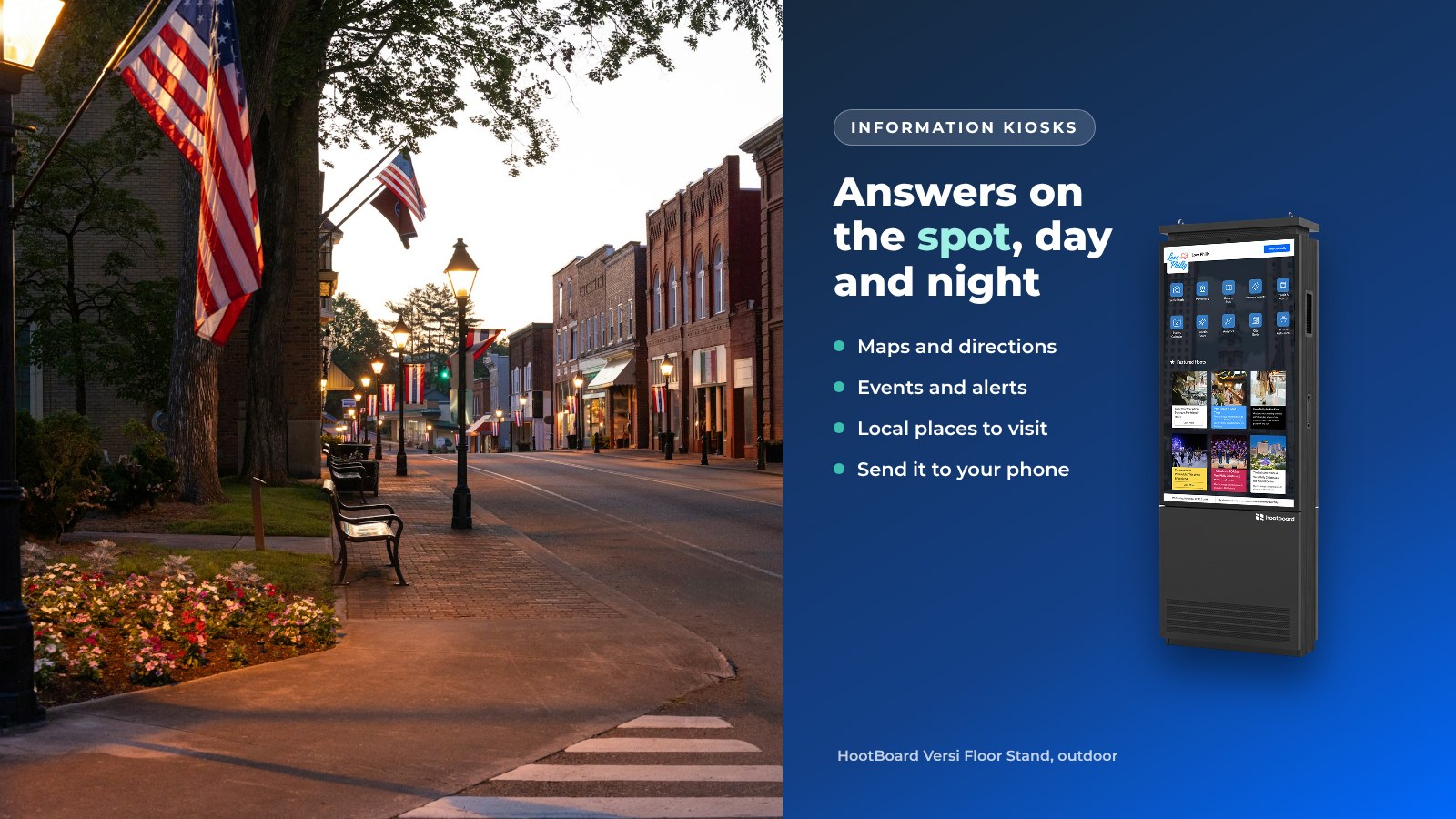
Information kiosks are public touchscreens that answer the questions a front desk hears all day: where is it, what's on, how do I get there and what's open now. They stand in visitor centers, lobbies, transit halls and downtown streets, and they keep working when nobody is at the desk.
This guide covers what an information kiosk is, what it does, where it works best and how to choose one. We use HootBoard as the worked example, because that's what we build: a kiosk operating system and content platform, plus the indoor and outdoor kiosks that run it.
What is an information kiosk?
An information kiosk is a self-service screen in a public place that gives people information and directions on the spot. Visitors tap to search, browse a map, find a place or check today's events. Many kiosks also send what you found to your phone with a QR code.
Most people first met one as a mall directory. Today's informational kiosks are connected to the internet and update themselves. They show live events, weather and transit, and they play signage when nobody is using them.
What information kiosks do
On a HootBoard kiosk, the home screen is a set of apps. You pick the ones that fit the location, and the screen answers those questions all day.

- Visitor information. Attractions, dining, lodging, restrooms, parking and hours. City Guide shows places on a map and in a list, with a detail page for each, in more than one language.
- Wayfinding. Floor-by-floor and accessible routes for campuses, convention centers, hospitals and large venues. Downtowns use it for walking routes between stops.
- Events. Feeds from your events calendar show on the kiosk as soon as they are on your website.
- Directory. Departments, offices, businesses or members, searchable by name.
- Ask a question. The AI Concierge answers in plain language and points to the right page.
- Take it with you. A visitor scans a QR code and the page opens on their phone as a web page. There's no app to install.
- Feedback. Surveys, polls, emoji ratings and forms turn the kiosk into a listening post.
- Alerts. National Weather Service alerts and your own priority messages take over every screen when it matters.
Product information kiosks and retail
A product information kiosk in a store lets shoppers look up products, check details and find where an item is. Big-box retailers often build these into their own point-of-sale and inventory systems, along with self-checkout and payments.
HootBoard is not a checkout or point-of-sale system. Where it fits in retail is the shared space around the stores: malls, outlet centers, mixed-use districts and downtown shopping streets.
- A store directory and wayfinding to each shop
- District events, sales weekends and seasonal hours
- Featured partner businesses, which show first in City Guide lists
- A QR code so shoppers carry the map and the deal on their phone
Signage and kiosk on one screen
When nobody is touching it, an information kiosk should still be useful. HootBoard plays a Screen Playlist on the idle screen: today's events, a welcome message, a sponsor message or an emergency notice. Touch the screen and it becomes interactive again.
This is the real difference between a kiosk and a digital sign. A sign broadcasts. A kiosk broadcasts until someone has a question, then it answers it.
Know your visitor with kiosk analytics
Printed brochures tell you nothing about who picked them up. An information kiosk does.

HootBoard analytics show how many people use each screen, where they come from, how long they stay and what they search for. You also see heatmaps, QR scans, and which hoots and apps get opened.
Use it to make decisions. If "parking" is a top search, put parking on the home screen. If one kiosk gets half the sessions, you know where the next one should go.
One hub for kiosks, signage and mobile
An information kiosk shouldn't be a separate system from your website, your lobby screens and your visitor app.
With HootBoard you publish once. A hoot about Saturday's parade shows on every kiosk, in the signage playlist, on your board's public web page and in the HootBoard mobile app, with a push notification for people who follow you. Staff manage it from a web dashboard or the admin mobile app. Local businesses and community members can submit posts, and you approve them with one click.
Content also arrives on its own. Built-in integrations include Simpleview, Localist, Tempest, Instagram, The Events Calendar, RSS, GTFS transit feeds, NWS alerts and iCal (which covers Eventbrite and Google, Outlook and Apple calendars). Zapier adds 1000+ more.
There's a practical bonus too: fewer printed maps and brochures to reorder, and nothing out of date in the rack. See how it all fits together on our kiosk software page.
Where information kiosks work
The best spot is wherever people stop and ask the same questions over and over.

- Visitor centers and welcome centers. The anchor placement. The kiosk extends the desk to the vestibule and to after hours. See our tourism kiosks for DMOs.
- City halls and public buildings. A services directory, meeting schedules and public alerts.
- Downtown streets, parks and plazas. Outdoor kiosks that serve residents and visitors alike.
- Campuses. Building finder, dining, events and student posts approved by staff. More on campus kiosks.
- Transit hubs. Live arrivals next to what's near the stop.
- Hotel lobbies. A digital concierge that the hotel or the local DMO keeps current.
- Convention centers. Floor maps, room directions and the city's restaurants and attractions for after the sessions.
- Malls and mixed-use districts. A store directory and wayfinding alongside district events.
For hardware, indoor spots use the HootBoard AirX or Glide, busy halls use the Glide XT, and outdoor spots use the Versi Floor Stand or Versi Wall Mount. HootBoard also runs on an Android screen or PC you already own.
See HootBoard indoor and outdoor kiosks
How to choose an information kiosk
Use this checklist before you talk to any vendor. It works for one kiosk or a whole network.
- Step 1: Start with the location. Indoor or outdoor, floor or wall. This picks the hardware.
- Step 2: List the questions people ask there. Those become the apps on the home screen.
- Step 3: Check where your content lives. Events calendar, website, social media. Make sure it connects, so the kiosk updates itself.
- Step 4: Decide who runs it. One person with a browser should be enough. If every update needs IT, keep looking.
- Step 5: Ask what you will learn. Per-screen sessions, top searches and QR scans at a minimum.
- Step 6: Ask what happens when the internet drops. HootBoard kiosks cache content and keep running offline.
- Step 7: Pilot before you buy. Run the software on a spare screen or tablet first.

For more on planning a kiosk project, read our 8 critical considerations before installing visitor information kiosks. Compare plans on our pricing page, or book a demo and we'll walk you through a live board.
FAQ
What is an information kiosk?
An information kiosk is a public touchscreen that gives people information and directions on the spot. It shows maps, places to visit, events, a directory and alerts, and lets visitors search instead of asking staff. Many kiosks also send the page to the visitor's phone with a QR code, so they can take it with them.
What is the difference between an information kiosk and digital signage?
Digital signage broadcasts the same content to everyone walking past. An information kiosk is interactive: people touch it to search, browse and get directions. HootBoard does both on one screen. It plays a signage playlist while it's idle and becomes an interactive kiosk the moment someone touches it.
What is a product information kiosk?
A product information kiosk is a store screen where shoppers look up products, details and where to find them. These are usually tied to a retailer's own inventory system. HootBoard isn't a checkout or inventory tool, but it does serve malls and shopping districts with store directories, wayfinding, events and featured businesses.
Where are information kiosks used?
Information kiosks are used wherever people need answers without waiting in line. Common places are visitor centers, city halls, downtown streets, parks, campuses, transit hubs, hotel lobbies, convention centers, malls and hospitals. Indoor spots use floor-standing kiosks, and outdoor spots need weatherproof, high-brightness units built for sun and rain.
Do information kiosks need an IT team?
Not with a cloud-managed system. HootBoard runs from a web dashboard, updates in the background and needs no technical skill. Most teams have their first screen live in under 30 minutes. Kiosks keep cached content on screen if the internet drops, and HootBoard offers 24/7 software and hardware support.
How do we get started?
Start small and test on a screen you already have. Create a board on the always-free Launch plan, add your places, events and apps, and run it on a spare tablet or display. When you're happy with it, choose a kiosk and move to a paid plan if you need more screens.