
HootBoard CityGuide turns any kiosk into a local guide visitors actually use — food, stays, events, things to do, with no app or account. The rebuilt CityGuide does more than list places. It helps a destination organize its region, curate the perfect visit, and send visitors off with a plan in their pocket — all from one dashboard that’s as easy to run as the guide is to browse.
Here’s what the new CityGuide can do, and why each capability matters for the team behind the guide and the visitor in front of it.
Build and curate from one dashboard
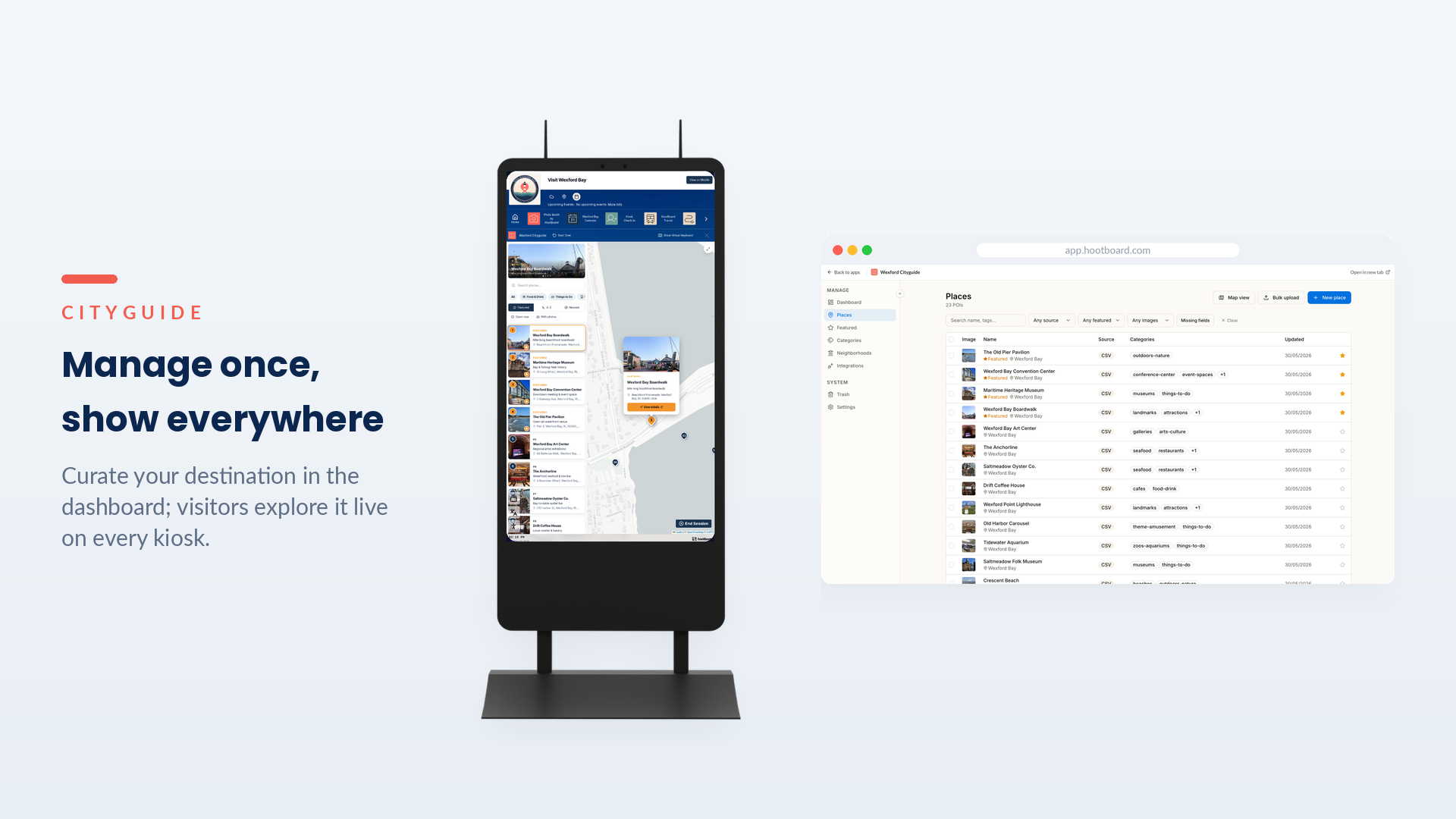
The capability: Everything runs from a single dashboard. Add, tag, and feature locations in seconds, use the drag-to-arrange featured carousel to put your best recommendations front and center, and bulk-upload a whole directory instead of entering listings one at a time.
Why it matters: Adding a new place, refreshing a photo, or re-ordering what’s featured becomes a quick edit rather than a project — so the guide stays current without becoming a second job.
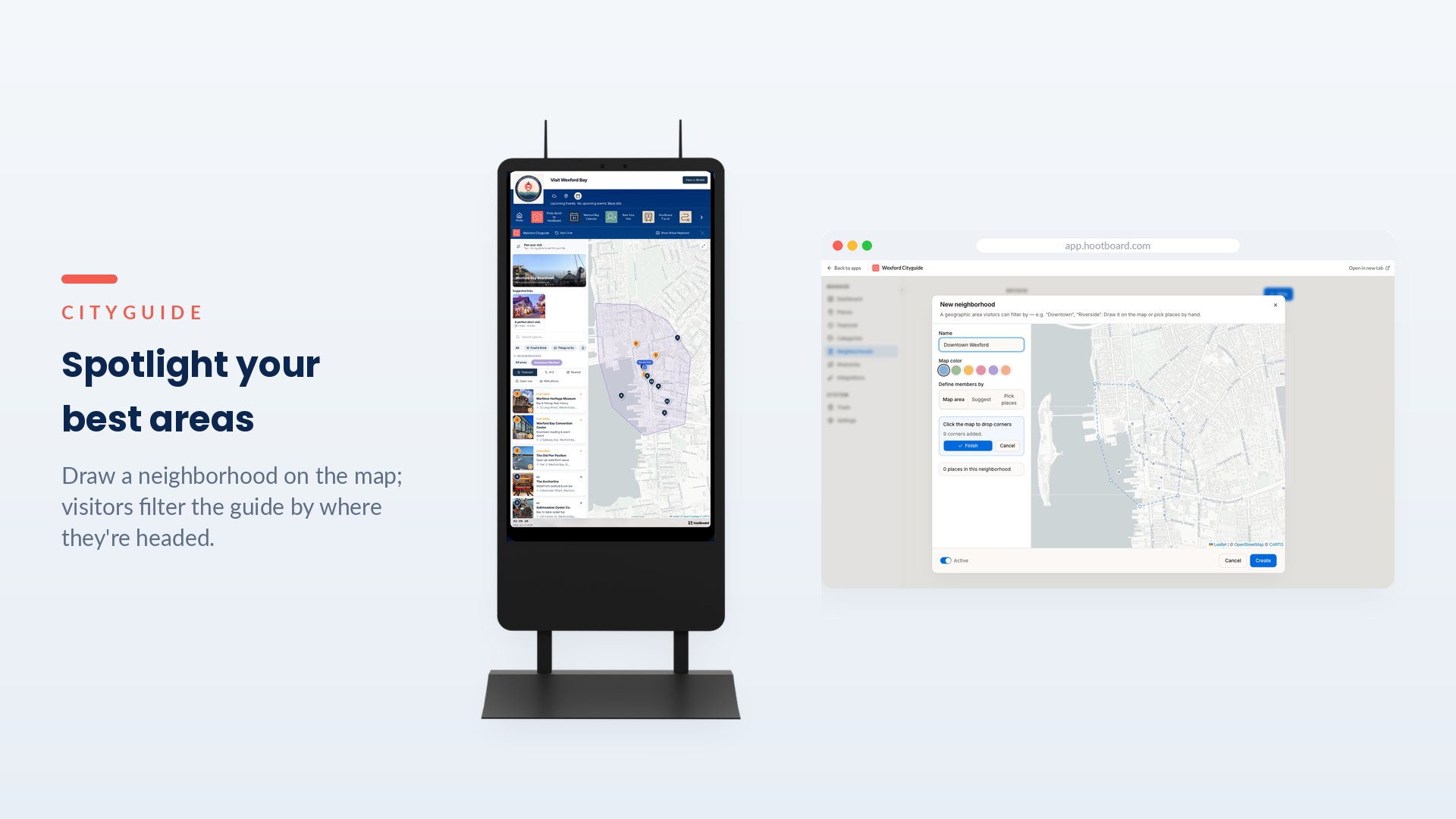
Spotlight the areas that matter, with Neighborhoods
The capability: Group places into geographic neighborhoods — draw an area on the map or pick places by hand, give it a name like “Downtown” or “Riverside,” and it becomes a filter on the kiosk. On the visitor side, choosing a neighborhood highlights that district on the map and narrows the guide to what’s inside it.
Why it matters: A big destination can feel like a wall of pins. Neighborhoods let you showcase specific parts of your region and make the whole place feel navigable — visitors explore by where they’re actually headed, and the way they browse stays in step with how you’ve organized it.
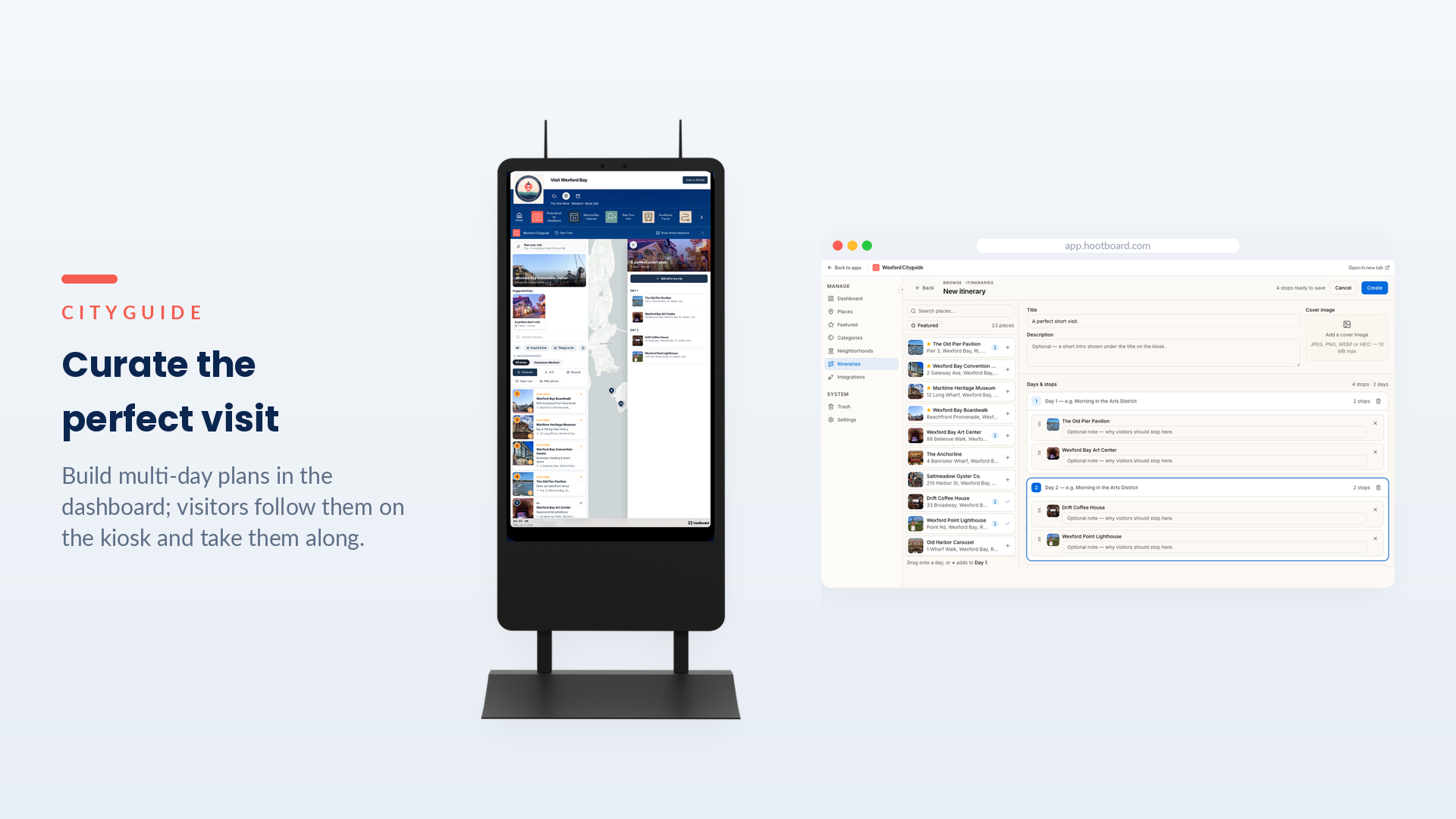
Curate itineraries only a local could
The capability: Build ready-made, multi-day plans that appear on the kiosk under “Suggested trips.” Start from scratch or from an idea — A Perfect Weekend, Family Day Out, Foodie Crawl, First-Timer’s Day, Rainy Day, After Dark — then name the trip, add stops to each day, and publish. Visitors browse the plan day by day and add the whole thing to their own trip in one tap.
Why it matters: Nobody knows a destination like the team that runs it. Itineraries turn that local know-how into a guided experience — the difference between handing visitors a list and handing them a great day. It’s curation that makes the guide feel authored, not automated.
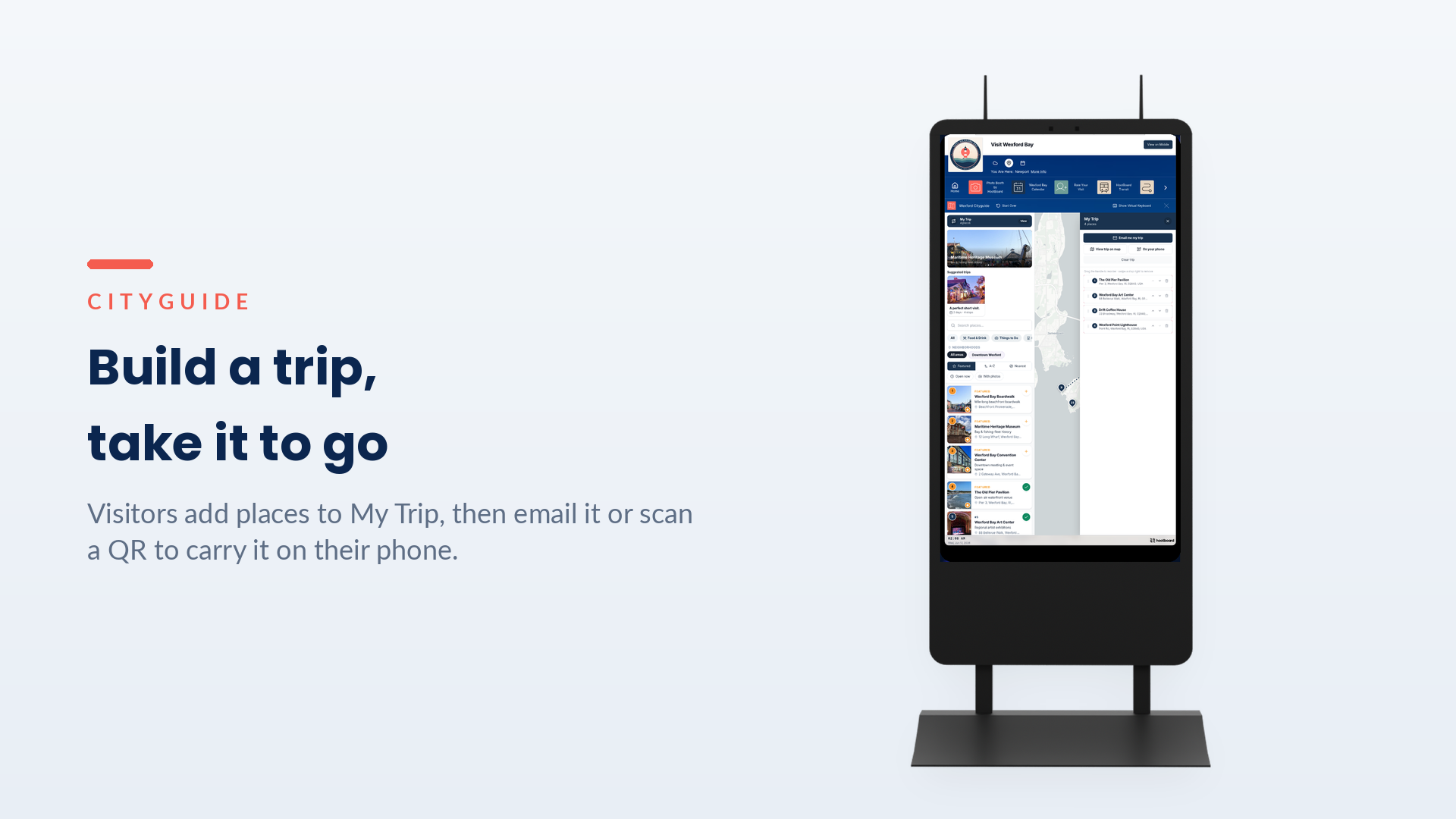
Let visitors build a trip and take it with them
The capability: With the Trip Planner, visitors tap to add any place that catches their eye to “My Trip,” reorder the stops, and see them all on the map. When they’re ready to go, they email the trip to themselves or scan a QR code to carry it on their phone.
Why it matters: The guide keeps working after the visitor walks away from the kiosk. Instead of memorizing names or snapping photos of a screen, they leave with a real plan in hand — which means more of your recommendations actually get visited.
Sync with your source of truth — and keep your edits
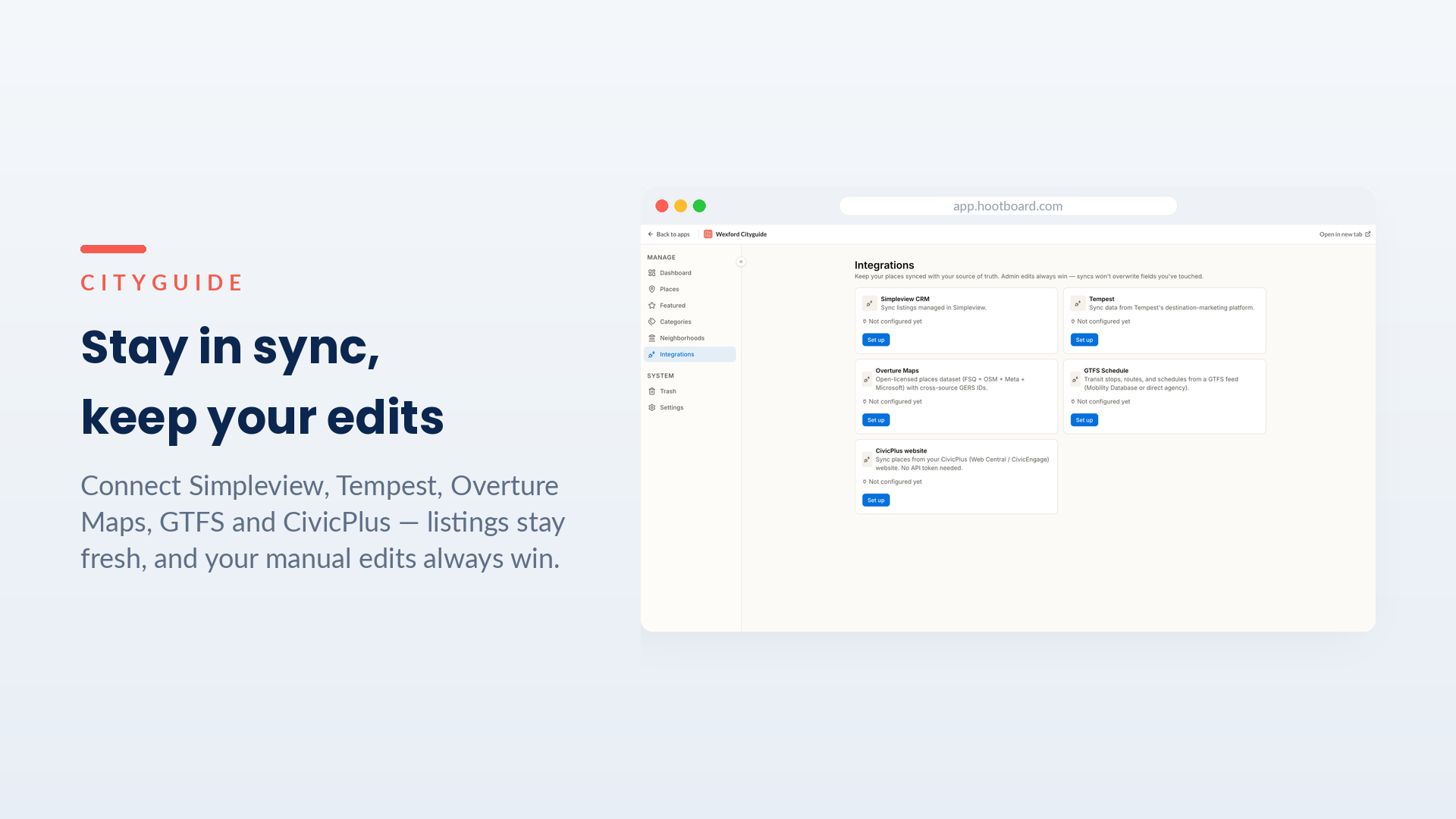 The capability: CityGuide connects to the systems a destination already relies on — Simpleview, Tempest, Overture Maps, GTFS, and CivicPlus are built in — so listings stay fresh automatically instead of being copied over by hand. And because manual edits always win, a sync never overwrites the careful changes your team has made.
Why it matters: It’s the balance most tools miss — the convenience of automation without giving up control of the details you’ve fine-tuned. Routine updates take care of themselves; the judgment calls stay yours.
Why it matters
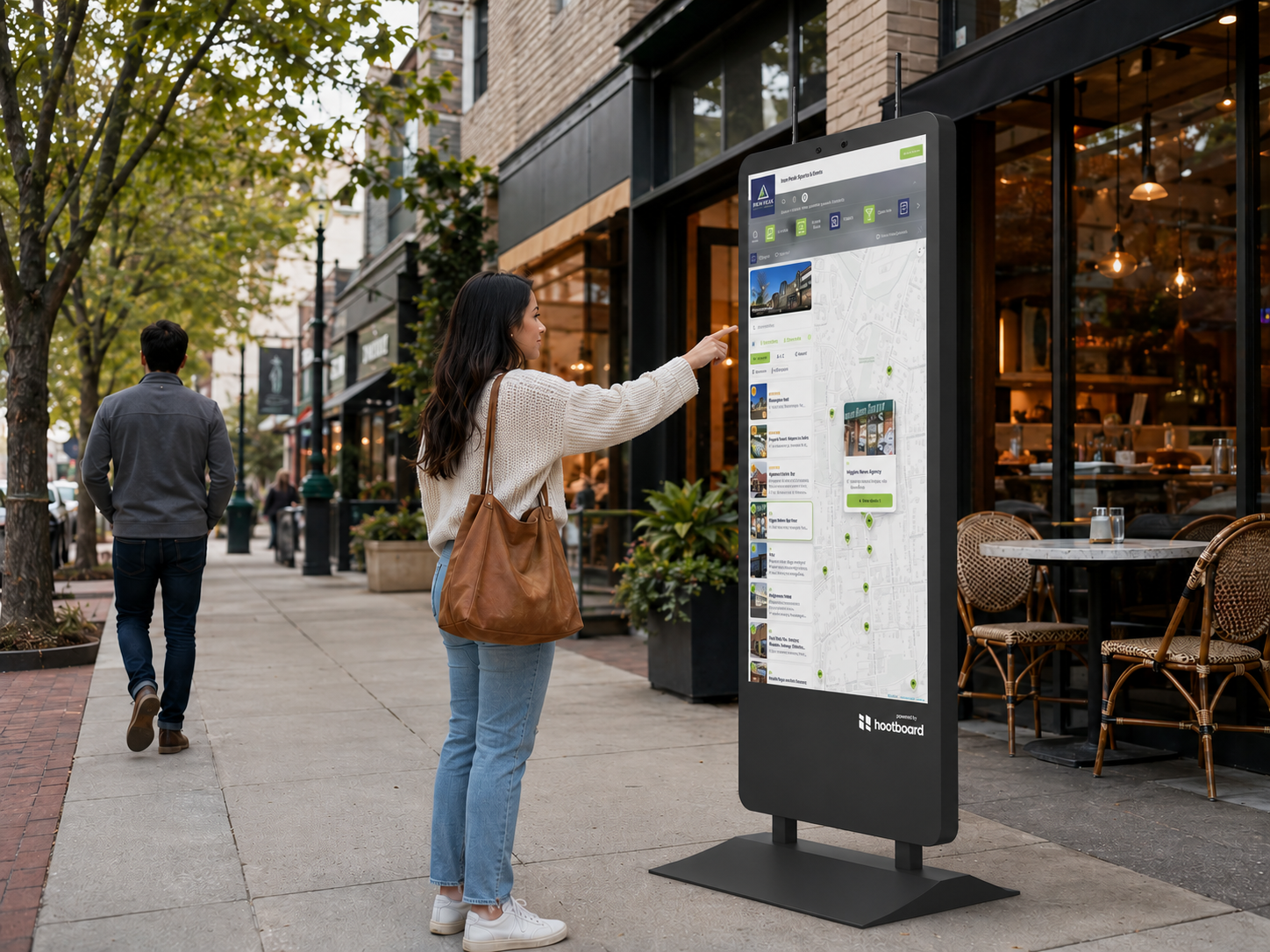
A guide is only as useful as it is current — and the rebuilt CityGuide is built so staying current takes minutes, not afternoons. The routine updates take care of themselves through sync, while the work that genuinely needs a person — which spot to feature this month, how to group a new district, what makes a perfect weekend — happens in a few clicks. The result is a guide that does more than inform: it organizes your region, curates the visit, and travels home in the visitor’s pocket.
For teams running a destination, and for anyone weighing HootBoard for theirs, that means a guide visitors rely on — always accurate, on-brand, and curated — without a dedicated content team behind it.
CityGuide is available now on HootBoard.
- Already a HootBoard customer? Install the brand-new CityGuide on your boards from the App Store today.
- Want to sell HootBoard to your clients? CityGuide is exactly the kind of visitor-facing app that wins destination and city accounts — easy to demo, quick to deploy, and a recurring-revenue line for your business. Become a HootBoard dealer → and see how HootBoard and CityGuide solve real problems for your customers.
- New to HootBoard? Schedule a demo and see it live.