
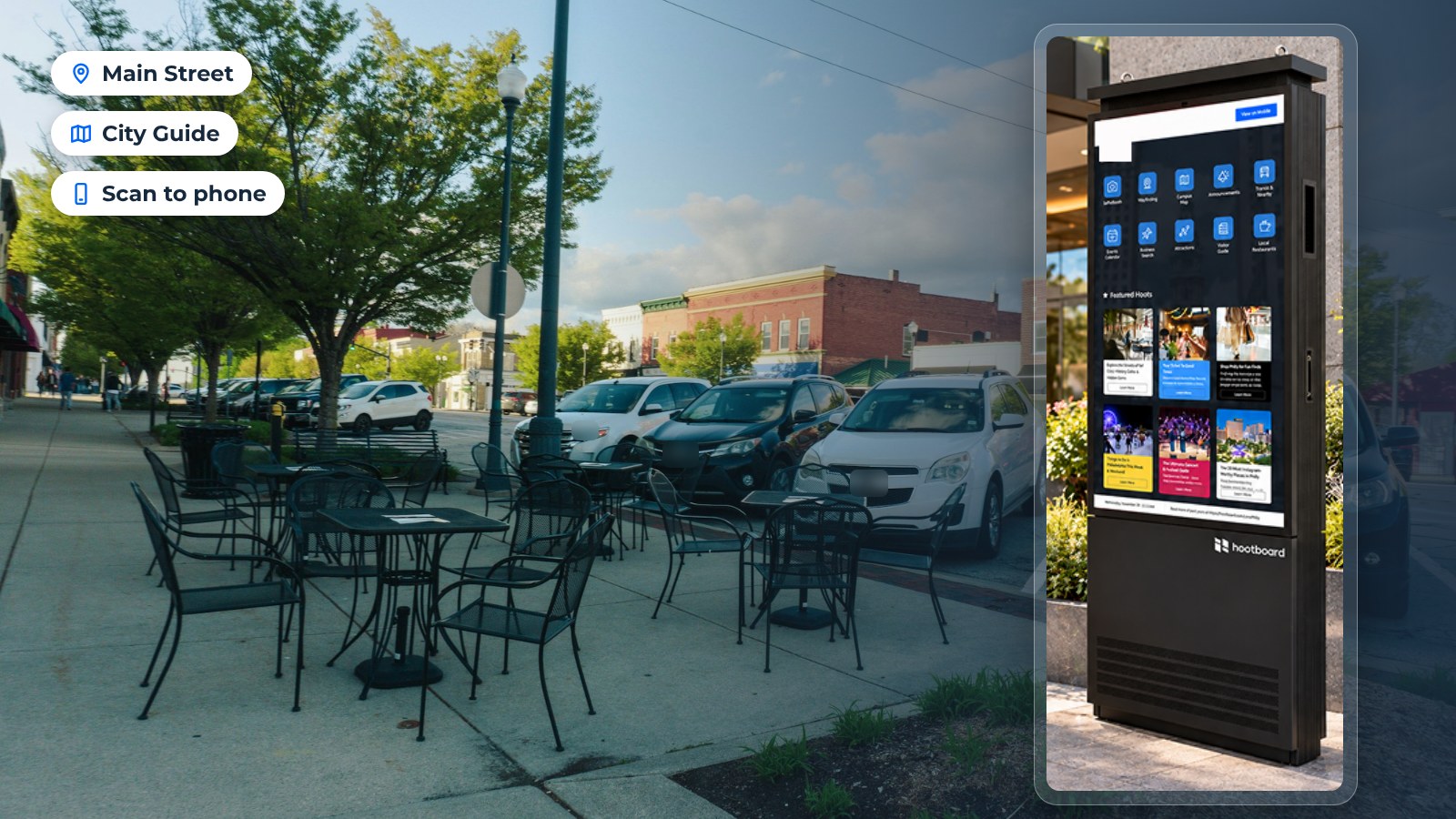
A visitor center can only be in one place. Your visitors are everywhere else: at the trailhead, the train station, the hotel lobby, the brewery patio. A tourism kiosk network puts what your visitor center knows in the places people already stop.
HootBoard runs that network from one dashboard. You publish a post once, and it shows on every kiosk, on your signage screens and on visitors' phones through a QR scan. Each kiosk carries the apps that fit its spot, such as City Guide, Events, Wayfinding, Transit and Selfie.
This guide covers 12 locations that work for a tourism kiosk, what visitors do at each one, and how to choose your first three.

Streets, parks and outdoor spaces
Outdoor spots see the most foot traffic. They also need outdoor hardware. A sealed, bright unit like the HootBoard Versi handles sun, rain and cold. An indoor kiosk will not.
Busy intersections
Even a small town has one corner where everyone passes. A kiosk there serves residents as much as visitors: today's events, where to park, what is open late. Nearby businesses can also appear as featured listings in City Guide, which can help a DMO cover part of the running cost.
What visitors do here:
- Check what is nearby
- Scan a QR code for walking directions
- Look up tonight's events
Top attractions
Visitors who just finished the main attraction all ask the same question: "What next?" A kiosk at the exit of a landmark, a scenic overlook or a state park parking lot is the best place to answer it. City Guide shows nearby places on a map and a list, with detail pages and QR directions.
What visitors do here:
- Pick the next stop
- Send the route to their phone
- Save a restaurant for later
Parks and open spaces
Parks are downtime. Families linger, and people who linger read. A kiosk by the playground or the pavilion can show the trail map, restrooms, the weekend farmers market and a nearby ice cream shop.

With the QR handoff, the family takes that page with them on their phone. They can find the restroom, head down the right trail and still remember the ice cream shop an hour later.
Transit and travel hubs
Stations and highway stops are where visitors first need help, often in a hurry. A kiosk here has to answer fast and keep working when the network is weak.
Transportation centers
Train stations, bus terminals and airport arrival halls are where many visitors start their trip. The Transit app pulls GTFS schedules and realtime arrivals, so the kiosk is useful every minute of the day. City Guide sits next to it for "what is near this stop."
What visitors do here:
- Check the next departure
- Find the way to their hotel
- See what is open nearby
Travel plazas and welcome centers
Interstate welcome centers catch drivers before they decide where to stop. A kiosk here is the digital version of the brochure rack, except it stays current and it can send a stop to the driver's phone.
Many of these buildings have weak connectivity. HootBoard kiosks keep cached content running when the network drops and sync again when it returns.
Indoor visitor spaces
Indoor placements use the HootBoard AirX or Glide. Both ship with HootBoard Kiosk OS pre-loaded, and the AirX can also be wall-mounted where floor space is tight.
Visitor centers
The visitor center is still the anchor. Staff cannot be at the desk 24 hours a day, but a kiosk in the lobby or the entry vestibule can. It gives the same curated picks staff would give, plus events, itineraries and a selfie app that sends a framed photo to the visitor's phone.
What visitors do here:
- Browse curated itineraries
- Ask the AI concierge a question
- Take a selfie with the destination's frame
Hotel lobbies
Front-desk staff get the same questions all day: where to eat, what to do tonight, how to get downtown. A lobby kiosk works as a digital concierge that the DMO keeps current, so every hotel in town hands out the same good advice.

It also helps smaller hotels and inns that have no concierge at all. Guests can find dinner, check tonight's events and send directions to their phone before they walk out the door.
Convention centers
Conventions are big, loud and confusing. Wayfinding kiosks at the entrances and between halls get people to the right room, and the same screen can show the conference agenda and the city's after-hours options.
The DMO wins too. Attendees who know what is nearby spend more evenings out in town.
If you are planning hardware for these spots, you can see HootBoard indoor and outdoor kiosks on the store.
Places visitors already gather
These are spots run by partners rather than by the DMO. They work well because the host wants the kiosk to succeed and will often promote it.
Mixed-use developments
Mixed-use districts combine apartments, offices, shops and restaurants. They draw residents and visitors, and the property owner wants its tenants found. A kiosk in the plaza can carry the district's directory and the destination's wider guide on the same screen.
University campuses
Campuses are small cities full of newcomers: prospective students, parents, conference guests and game-day crowds. Indoor Navigation handles floor-by-floor and accessible routes. Events and community posts, approved by staff with one click, keep the screen fresh. See how this works on a campus kiosk.
For the DMO, a campus kiosk is a direct line to thousands of visiting families. They can find a building, check the shuttle and see what is on this weekend, on and off campus.
Breweries and restaurants
Partner businesses can host a kiosk too. The brewery shows its own events and specials, and the destination's guide sits one tap away. Visitors who came for one beer learn about the trail, the music venue and the other breweries on the same street.
Nightlife districts
After dark, a quick web search is a poor guide to what is open and good right now. A kiosk in a nightlife district lists late-night food, live music and safe ways home. It sends the choice to the visitor's phone so the group can move on together.
How to pick your first three locations
You do not need 12 kiosks on day one. Start with three and grow.
- One anchor: the visitor center or welcome center you already run. Staff can learn the dashboard here.
- One hub: the busiest transit stop, hotel lobby or convention center. This is where you reach visitors you would otherwise never see.
- One partner: a brewery, a campus or a mixed-use plaza. Partners often share the placement cost and promote the kiosk themselves.

Then look at the analytics. HootBoard shows visits per screen, dwell time, top searches, apps opened and QR scans. The top searches tell you what content to add next. The location with the most scans tells you where to put kiosk number four.
It stays one network with one dashboard. You publish content once, and a priority alert can go to every screen at the same time. Each screen still shows the apps that fit its spot. The kiosk software page shows the apps in more detail, and the plans page shows what each plan includes.
Want a plan for your own destination? Book a demo and we will map a kiosk network for your destination.
FAQ
Where is the best place to put a tourism kiosk?
Put it where visitors already stop and have a question: the visitor center, the main transit hub, hotel lobbies and the exit of your top attraction. Start with one anchor, one hub and one partner location.
Can a tourism kiosk go outdoors?
Yes, with outdoor hardware. The HootBoard Versi is a sealed, bright outdoor kiosk that comes as a floor stand or a wall mount. Indoor kiosks like the AirX and Glide should stay indoors or in a covered vestibule.
How many kiosks do we need?
Three is a sensible start. HootBoard runs any number of screens from one dashboard, so you can add kiosks as partners and funding come in.
Does the content have to be different for each location?
No. You publish once and every screen gets it. You can still give each kiosk its own apps and featured content, so a transit hub shows schedules while a park shows trails.
How do we get started?
Hardware is sold on the HootBoard store, and the software starts on the always-free Launch plan. You can create a board and try the platform before you buy a kiosk.